Discover which AWS storage service fits your workloads as we break down S3, EBS, EFS, and Glacier performance, durability, and budget needs
Cloud adoption across the US has accelerated rapidly, with businesses from SaaS startups to global enterprises storing more data than ever before. As platforms scale, requirements around performance, durability, compliance, analytics, backups, and cost optimization have become increasingly complex. This is why choosing the right AWS storage services is no longer simply a technical decision, it is a financial and strategic one.
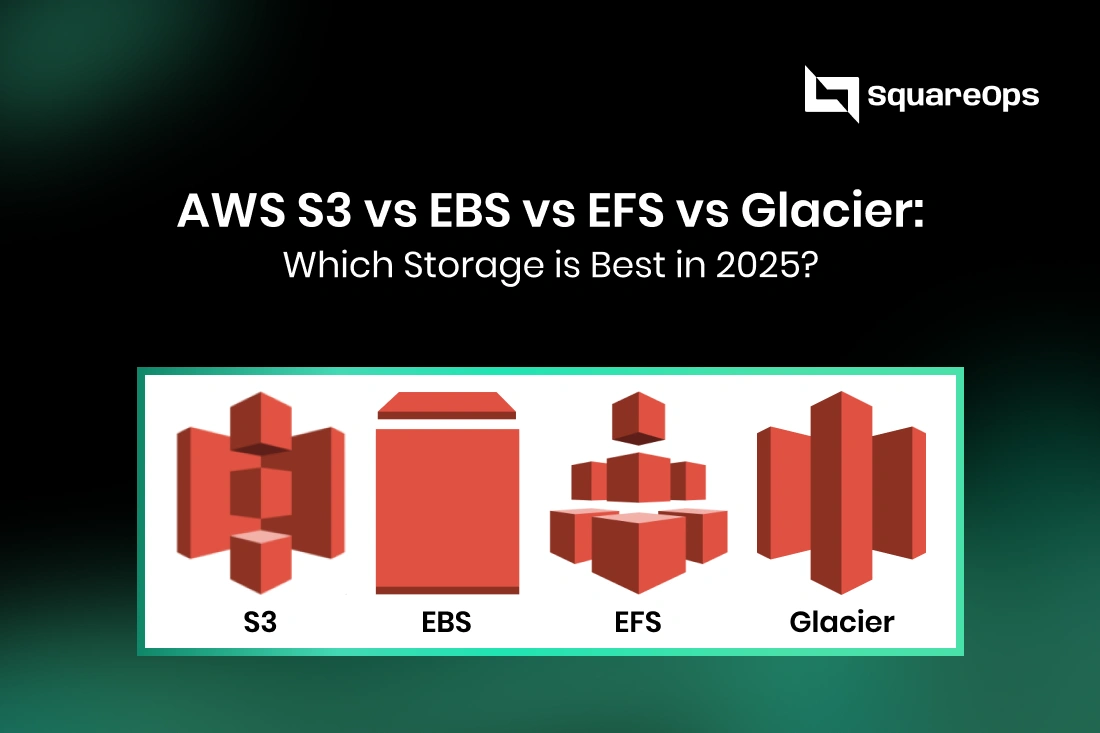
Amazon Web Services offers multiple storage solutions, but the four most widely used options in 2025 are:
- Amazon S3 – Object storage for scalable, durable, low-cost data.
- Amazon EBS – Block storage optimized for high-performance workloads.
- Amazon EFS – Elastic file system for shared, distributed environments.
- Amazon Glacier – Archival storage for long-term retention and compliance.
While all four services fall under the AWS storage umbrella, they serve fundamentally different purposes. Yet, many US companies overspend or underperform simply because they selected the wrong service for their workload.
This guide provides a detailed AWS storage comparison, breaking down the pros, cons, pricing, and best use cases of S3 vs EBS vs EFS vs Glacier to help you determine the most optimal storage solution for your business in 2025.
In the end, you'll have a clear framework for choosing the right service based on performance needs, compliance rules, and budget considerations plus tips to significantly reduce storage costs.
What Are AWS Storage Services?
AWS storage services are a suite of cloud-based solutions designed to store, manage, secure, and access data at scale. These services support everything from real-time applications and databases to archival data and backups, making AWS the most widely adopted cloud storage provider in 2025.
AWS categorizes its storage offerings into multiple types based on how data is stored and accessed:
a) Object Storage (Amazon S3)
Stores data as objects, ideal for unstructured data such as images, logs, videos, backups, datasets, and static web content.
b) Block Storage (Amazon EBS)
High-performance storage attached to EC2 instances. Used for databases, transactional apps, high-performance computing (HPC), and low-latency workloads.
c) File Storage (Amazon EFS)
Fully managed, elastic file system accessible across multiple EC2 instances simultaneously. Best for shared workloads and Kubernetes clusters.
d) Archival Storage (Amazon S3 Glacier)
Ultra-low-cost storage designed for long-term backups, compliance archives, and infrequently accessed data.
Why These Four Services Matter Most in 2025
Although AWS provides more than a dozen storage options, S3, EBS, EFS, and Glacier are the core building blocks for 95% of enterprise data workloads. They define how companies handle:
- Performance
- Cost optimization
- Scalability
- Retention & compliance
- Data availability
- AI/ML pipelines
Understanding where each service fits is the foundation for choosing the right storage strategy and avoiding unnecessary cloud spend.
Amazon S3: Scalable Object Storage for Modern Applications
Amazon Simple Storage Service (S3) is AWS’s flagship object storage solution and the most widely used cloud storage service in the world. It is designed for unlimited scalability, 11 nines of durability (99.999999999%), and easy integration with analytics, AI/ML, and serverless workloads.
Businesses in SaaS, FinTech, healthcare, media, and e-commerce rely on S3 for everything from logs and backups to big data pipelines and static website hosting.
Key Features of Amazon S3
Unlimited storage capacity
Store petabytes of data without provisioning resources.
11 nines durability (99.999999999%)
Data is automatically stored across multiple Availability Zones.
Multiple storage tiers for cost optimization:
- S3 Standard – frequent access
- S3 Intelligent-Tiering – automatically moves objects to cheaper tiers
- S3 Standard-IA – infrequent access
- S3 One Zone-IA – one AZ only (cheaper)
- S3 Glacier Instant Retrieval
- S3 Glacier Flexible Retrieval
- S3 Glacier Deep Archive (cheapest)
Strong security
Encryption at rest & in transit, IAM policies, bucket policies, ACLs, versioning, MFA delete.
Easy integration
Works seamlessly with Lambda, Redshift, Athena, Glue, EMR, Snowflake & more.
Pros of Amazon S3
|
Pros |
Why It Matters |
|
Highly scalable |
No limits on object count or size (up to 5 TB per object). |
|
Cost-efficient with tiered storage |
Reduce cost by moving older data to Glacier tiers. |
|
High durability |
Ideal for compliance-heavy workloads (HIPAA, SOC2). |
|
Strong ecosystem integrations |
Perfect for data lakes, ML, analytics pipelines. |
|
Global availability |
Serve content anywhere using CloudFront CDN. |
Cons of Amazon S3
|
Cons |
Impact |
|
Higher latency compared to block storage |
Not suitable for databases or transactional workloads. |
|
Complex pricing structure |
Improper configurations can lead to higher bills. |
|
Eventual consistency (for some operations) |
Must be considered for critical systems. |
Pricing Overview for S3 (2025)
Pricing varies by tier and region, but generally:
- S3 Standard: ~$0.023/GB per month
- S3 Intelligent-Tiering: ~$0.023/GB + small automation fee
- S3 Standard-IA: ~$0.0125/GB
- S3 One Zone-IA: ~$0.01/GB
- S3 Glacier Instant Retrieval: ~$0.004/GB
- S3 Glacier Flexible Retrieval: ~$0.0023/GB
- S3 Glacier Deep Archive: ~$0.00099/GB
Retrieval and API request costs apply separately.
Best Use Cases for Amazon S3
Data lakes & big data analytics
Perfect for storing raw & processed datasets.
Backup & disaster recovery
Highly durable and cost-effective.
Static website hosting (serverless)
Ideal for front-end hosting with CloudFront + Route 53.
Log storage
Integrates with CloudWatch, Kinesis, and third-party SIEM tools.
ML & AI pipelines
S3 is the default storage layer for training data.
Cloud Spend Management vs Cloud Cost Optimization
These terms are related but different:
Cloud Spend Management | Cloud Cost Optimization |
Organizational strategy | Technical actions to cut costs |
Visibility, budgets, governance | Rightsizing, automation, cleanup |
Finance + engineering collaboration | Engineering-driven |
Ongoing FinOps cadence | One-time or periodic tuning |
You need both to control cloud spend long-term.
The Biggest Cloud Cost Drivers (What Tech Leaders Often Miss)
Most cloud waste comes from invisible or neglected areas.
- Idle EC2, EKS, RDS, and Load Balancers
CloudWatch metrics often reveal:
- EC2 CPU usage < 10%
- RDS idle connections
- EKS worker nodes underutilized
- LB serving zero traffic
Yet teams keep paying for them.
- Over-Provisioned Storage and Orphaned Volumes
Wasteful patterns include:
- Unused EBS volumes
- Old snapshots
- Multi-AZ RDS when not needed
- Large S3 buckets with no lifecycle policies
Storage sprawl adds hidden costs.
- Inefficient Kubernetes / EKS Configurations
Common EKS cost issues:
- Over-sized node groups
- Pods requesting unnecessary CPU/memory
- Lack of cluster autoscaler
- Too many idle daemonsets
Kubernetes cost optimization requires observability + autoscaling + rightsizing.
- Lack of Tagging for Cost Allocation
Without tags, you cannot track:
- Project costs
- Team-wise usage
- Environment-level billing
This blocks true FinOps visibility.
- Misuse of On-Demand Instances
Using On-Demand for predictable workloads is the fastest way to burn money.
Savings Plans and Reserved Instances can reduce EC2/RDS costs by up to 72%.
- Data Transfer Costs
Often overlooked, cross-region and inter-AZ traffic can explode costs.
Fixing the architecture design solves this instantly.
FinOps: The Modern Foundation for Cloud Financial Governance
FinOps = Financial Operations, a discipline combining:
- Finance
- Cloud engineering
- Operations
- Leadership
Its principles include:
- Visibility:
Real-time dashboards for spend, per team, per service, per environment.
- Optimization:
Eliminating unused resources, using automation, and selecting cost-efficient architecture.
- Accountability:
Teams must own their cloud budgets.
Tagging + policies enforce ownership.
Core FinOps Practices Include:
- Cost allocation & showback
- Budget alerts
- SKU-level optimization
- Forecasting & capacity planning
- Automated governance
- Monthly optimization cycles
- Cross-functional cloud committees
Organizations that adopt FinOps typically save 25–40% annually.
Amazon EBS: High-Performance Block Storage for EC2
Amazon Elastic Block Store (EBS) is AWS’s scalable block storage service designed for workloads that require low-latency, high-performance disk access. EBS volumes act like virtual hard drives that attach to EC2 instances, making them ideal for databases, enterprise applications, and mission-critical systems.
If your workload needs consistent IOPS, persistent storage for EC2, or transactional read/write patterns, EBS is the best option.
Key Features of Amazon EBS
Low-latency block storage
Designed for databases, file systems, and boot volumes.
Persistent storage
Data remains intact even after the EC2 instance stops or restarts.
Multiple performance-optimized volume types:
General Purpose SSD (gp3)
Balanced performance, default choice for most workloads.
Provisioned IOPS SSD (io2 & io2 Block Express)
Ultra-fast IOPS for high-performance databases (Oracle, SQL Server, SAP HANA).
Throughput Optimized HDD (st1)
Good for big data workloads and streaming.
Cold HDD (sc1)
Cost-effective for infrequent access workloads.
Snapshots & backups
Automate EBS backups using AWS Backup or Lifecycle Manager.
High availability
Replicated automatically within an Availability Zone.
Pros of Amazon EBS
|
Pros |
Why It Matters |
|
Ultra-low latency |
Suitable for production databases & real-time applications. |
|
Multiple performance tiers |
You can optimize for IOPS, throughput, or cost. |
|
Persistent & reliable |
Ideal for EC2 boot volumes and application storage. |
|
Easy snapshots |
Simple backups & disaster recovery using S3-based snapshots. |
|
Encryption & security |
Seamless KMS integration for data protection. |
Cons of Amazon EBS
|
Cons |
Impact |
|
Tied to a single Availability Zone |
Extra steps required for cross-region or cross-AZ replication. |
|
Scaling requires planning |
Increasing IOPS/throughput can increase costs. |
|
Not shareable across instances (without EBS Multi-Attach) |
Standard volumes attach to only one EC2 instance. |
|
Higher cost for provisioned IOPS volumes |
Enterprise-grade performance → enterprise pricing. |
Pricing Overview for EBS (2025)
Pricing varies by region but here are approximate costs:
|
Volume Type |
Approx. Price |
|
gp3 |
~$0.08/GB per month |
|
io2 |
~$0.125/GB per month + IOPS charges |
|
st1 |
~$0.045/GB per month |
|
sc1 |
~$0.025/GB per month |
Additional charges apply for:
- Snapshots ($0.05/GB-month)
- Provisioned IOPS (for io2/io2 Block Express)
- Data transfer across AZ/regions
Best Use Cases for Amazon EBS
Relational databases
MySQL, PostgreSQL, MariaDB, Oracle, SQL Server.
NoSQL databases
MongoDB, Cassandra, Redis (self-managed).
Enterprise applications
CRM, ERP, financial systems requiring deterministic performance.
VM or container storage
Persistent storage for EC2-based Kubernetes clusters (EKS).
Boot volumes for EC2
Every EC2 instance typically uses an EBS volume as a root disk
Amazon EFS: Fully Managed, Scalable Network File Storage
Amazon Elastic File System (EFS) is AWS’s managed, shared file storage solution. Unlike EBS (block storage) or S3 (object storage), EFS provides a POSIX-compliant, Linux-based file system that multiple EC2 instances and containers can access simultaneously.
It automatically scales up and down based on usage, making it ideal for distributed workloads, microservices, content management systems, and shared application data.
Key Features of Amazon EFS
Fully managed, elastic storage
Automatically expands to petabytes and shrinks when files are deleted no provisioning required.
Shared access across multiple compute resources
Mount EFS on:
- EC2
- Containers running on EKS/ECS
- Lambda functions
- On-prem servers via Direct Connect
High availability & durability
Stored across multiple Availability Zones (Multi-AZ file system).
POSIX-compliant
Supports standard Linux file permissions and directory structures.
Multiple performance modes
- General Purpose – balanced performance for most workloads
- Max I/O – highly parallel workloads, big data, analytics
Storage classes to optimize cost
- Standard (frequent access)
- EFS Infrequent Access (IA) (up to 92% cheaper)
Pros of Amazon EFS
|
Pros |
Why It Matters |
|
Fully serverless & elastic |
No provisioning or capacity planning needed. |
|
Multi-instance shared access |
Perfect for microservices & distributed apps. |
|
High availability & durability |
Built-in multi-AZ replication. |
|
POSIX compatibility |
Works like a traditional Linux file system. |
|
Automatic lifecycle management |
Move cold data to EFS-IA to reduce costs. |
Cons of Amazon EFS
|
Cons |
Impact |
|
Higher cost than EBS & S3 (Standard tier) |
Pricing may increase for large workloads. |
|
Best for Linux workloads only |
Does not support Windows. |
|
Latency higher than EBS |
Not suitable for high-performance databases. |
|
Performance depends on bursting limits unless provisioned |
Might require tuning for heavy workloads. |
Pricing Overview for EFS (2025)
Approximate prices:
|
Storage Class |
Approx. Cost |
|
EFS Standard |
~$0.30/GB per month |
|
EFS Infrequent Access |
~$0.025/GB per month |
|
Provisioned Throughput |
Additional throughput charges |
Other cost factors:
- Data transfer across AZs
- Backup (via AWS Backup)
- Provisioned I/O (if selected)
Despite higher costs, lifecycle policies can reduce bills by up to 85–90%.
Best Use Cases for Amazon EFS
Container storage (EKS / ECS)
Ideal for microservices needing shared state.
Web content management
WordPress, Drupal, media hosting.
CI/CD pipelines
Persist build artifacts across multiple agents.
Shared developer environments
User home directories, shared tools, code repos.
Big data & analytics workloads
Max I/O mode for parallel processing.
Amazon S3 Glacier: Ultra-Low-Cost Archival Storage for Long-Term Data Retention
Amazon S3 Glacier (now part of S3's tiered storage ecosystem) is AWS’s cold storage solution designed for long-term archival, compliance storage, and data that is rarely accessed. Glacier offers the lowest storage cost in AWS but comes with trade-offs in retrieval time.
In compliance-driven industries like healthcare, finance, government, and insurance, Glacier is essential for cost-effective retention of logs, backups, audit records, research data, and historical archives.
6.1 Glacier Storage Classes
AWS offers three Glacier tiers, each balancing cost and retrieval speed:
S3 Glacier Instant Retrieval
- Retrieval time: milliseconds
- Cost: mid-range
- Ideal for:
- Security logs
- Archived documents that need occasional fast access
- Security logs
S3 Glacier Flexible Retrieval (formerly Glacier)
- Retrieval time: minutes to hours
- Lowest retrieval cost
- Ideal for:
- Backups
- Compliance storage
- Disaster recovery archives
- Backups
S3 Glacier Deep Archive
- Retrieval time: 12–48 hours
- Cheapest storage option in AWS
- Ideal for:
- Long-term compliance
- Rarely accessed archives
- Government/medical/legal retention
- Long-term compliance
Pros of Amazon Glacier
|
Pros |
Why It Matters |
|
Cheapest storage in AWS |
Perfect for long-term data retention. |
|
Highly durable (11 nines) |
Meets strict compliance/regulatory needs. |
|
Secure & encrypted |
Built-in encryption + IAM controls. |
|
Integration with S3 lifecycle rules |
Fully automated archival processes. |
|
Excellent for DR & cold backups |
Low-cost retention for petabyte-scale archives. |
Cons of Amazon Glacier
|
Cons |
Impact |
|
Slow retrieval (for deeper tiers) |
Not suitable for interactive workloads. |
|
Additional fees for retrieval |
Cost must be planned to avoid surprises. |
|
Not for frequent access |
Designed for 0–1 reads per year. |
|
Limited use cases |
Strictly archival storage only. |
Pricing Overview for Glacier (2025)
Approximate costs:
|
Storage Tier |
Approx. Cost/GB-Month |
|
Glacier Instant Retrieval |
~$0.004/GB |
|
Glacier Flexible Retrieval |
~$0.0023/GB |
|
Glacier Deep Archive |
~$0.00099/GB |
Additional charges apply for:
- Retrieval requests
- Data restore fees
- Early deletion charges (for <90 or <180 days depending on tier)
Bottom Line: Glacier is the most cost-effective way to store terabytes or petabytes of rarely accessed data.
Best Use Cases for Amazon Glacier
Compliance & legal archives
HIPAA, SOC2, PCI DSS record retention.
Disaster recovery storage
Keep offsite, secure backups.
Research & scientific datasets
Large datasets that must be stored for decades.
Media archives
Old footage, long-term digital preservation.
Log retention for audits
Financial, tax, and security logs.
AWS Storage Comparison: S3 vs EBS vs EFS vs Glacier (2025)
A clear comparison is essential for users evaluating AWS storage options. Below is a side-by-side breakdown of the four major AWS storage services across performance, pricing, durability, scalability, and ideal use cases.
Quick Comparison Table
AWS Storage Services Overview
|
Feature / Service |
Amazon S3 |
Amazon EBS |
Amazon EFS |
Amazon Glacier |
|
Type |
Object Storage |
Block Storage |
Network File Storage |
Archival Storage |
|
Durability |
99.999999999% (11 nines) |
99.999% |
99.999999999% |
99.999999999% |
|
Latency |
High |
Low |
Medium |
Very High |
|
Access Pattern |
Frequent / infrequent |
High-performance transactional |
Shared file access |
Rare access |
|
Scalability |
Unlimited |
Scales per volume |
Automatic scaling |
Unlimited |
|
Multi-AZ |
Yes |
No (single AZ) |
Yes |
Yes |
|
Pricing |
Low–Mid |
Mid–High |
High |
Lowest |
|
Best For |
Backup, logs, data lakes, ML |
Databases, EC2 apps |
Containers, shared storage |
Compliance archives |
Detailed Comparison: S3 vs EBS vs EFS vs Glacier
1. Performance
|
Category |
Winner |
Reason |
|
Lowest latency |
EBS |
Suitable for databases and real-time apps |
|
Best throughput |
EFS (Max I/O) |
Ideal for distributed workloads |
|
Object-level access |
S3 |
Perfect for analytics, ML |
|
Not performance-focused |
Glacier |
Built for archival only |
Cost Comparison (Approx. 2025)
|
Service |
Typical Cost/GB |
Notes |
|
S3 |
$0.023/GB |
Multiple tiers available |
|
EBS |
$0.08–$0.125/GB |
Extra cost for IOPS |
|
EFS |
$0.30/GB (Standard), $0.025/GB (IA) |
Expensive but elastic |
|
Glacier |
$0.00099–$0.004/GB |
Cheapest option |
Cheapest storage overall → Glacier
Most expensive → EFS Standard
Typical Use Cases
|
Service |
Ideal Workloads |
|
Amazon S3 |
Data lakes, analytics, ML training data, logs, backups, static websites |
|
Amazon EBS |
Relational/NoSQL databases, EC2 boot volumes, ERP/CRM apps |
|
Amazon EFS |
Shared file systems, Kubernetes (EKS/ECS), CMS apps, DevOps pipelines |
|
Amazon Glacier |
Compliance archives, DR storage, scientific research data |
Pros & Cons Summary
|
Service |
Pros |
Cons |
|
S3 |
Cheap, scalable, integrates with analytics, durable |
Higher latency, complex pricing |
|
EBS |
Fast, reliable, predictable performance |
Single-AZ, costly at scale |
|
EFS |
Elastic, shared access, POSIX |
Expensive for large datasets |
|
Glacier |
Cheapest, secure, perfect for archival |
Very slow retrieval |
Which AWS Storage Service Should You Choose in 2025?
|
If You Need… |
Choose |
|
A scalable, cost-effective storage layer |
Amazon S3 |
|
Ultra-fast storage for databases |
Amazon EBS |
|
Shared, scalable file system for microservices |
Amazon EFS |
|
Cheapest long-term retention |
Amazon Glacier |
Expert Recommendations (SquareOps Insight)
For SaaS platforms → S3 + EFS
For FinTech → EBS for databases + Glacier for logs
For Healthcare → S3 (HIPAA-ready) + Glacier for compliance
For Big Data / ML → S3 as data lake storage
For Kubernetes → EFS for shared volumes + EBS for persistent workloads
How to Choose the Right AWS Storage Service
Step-by-Step Decision Framework
Step 1: Identify Your Access Pattern
|
Access Pattern |
Best AWS Service |
|
Frequent read/write |
EBS / S3 Standard |
|
Occasional access |
S3 IA / EFS IA |
|
Rare access |
Glacier tiers |
|
Shared multi-instance access |
EFS |
|
High-performance disk access |
EBS (io2/gp3) |
Step 2: Determine Performance Requirements
Do you need ultra-low latency?
- Choose: Amazon EBS
Do you need distributed parallel throughput?
- Choose: Amazon EFS (Max I/O)
Is performance less important than storage cost?
- Choose: S3 or Glacier
Step 3: Evaluate Scale & Future Growth
|
Scaling Requirement |
Best Option |
|
Petabyte-scale growth |
S3 |
|
Automatically scale with traffic |
EFS |
|
Pre-sized disks with predictable performance |
EBS |
|
Archive that grows slowly over time |
Glacier Deep Archive |
Step 4: Understand Your Use Case
|
Use Case |
Recommended AWS Storage |
|
Databases (MySQL, PostgreSQL, MongoDB) |
EBS |
|
Data lakes, analytics, ML |
S3 |
|
Microservices on Kubernetes / ECS |
EFS |
|
Backup, archive, compliance storage |
Glacier |
|
Web hosting/media |
S3 + CloudFront |
|
CI/CD pipelines |
EFS or S3 |
Step 5: Balance Performance vs Cost
If you want lowest cost possible:
- Glacier Deep Archive → Lowest cost per GB
- S3 IA + Lifecycle rules → Reduce S3 Standard cost by 70–80%
If you want best performance:
- EBS io2 Block Express → Highest IOPS in AWS
If you want performance + shared access:
- EFS → Fully elastic shared storage
Simple “Cheat Sheet” for 2025
|
Question |
Service to Choose |
|
Need fast storage for an app? |
EBS |
|
Need shared storage for multiple servers? |
EFS |
|
Need unlimited, scalable object storage? |
S3 |
|
Need ultra-cheap archival storage? |
Glacier |
Ready to Optimize Your AWS Storage Strategy?
SquareOps helps US SaaS, FinTech, and enterprise teams:
- Reduce AWS storage costs by 30–70%
- Build efficient S3/EBS/EFS/Glacier architectures
- Implement lifecycle rules, automation, and security best practices
- Achieve compliance (HIPAA, SOC2, PCI DSS)
Want a free AWS storage audit?
We can identify quick wins and long-term savings in under 48 hours.