Planning a GCP to AWS Migration?
SquareOps is an AWS Advanced Consulting Partner and GCP Partner with 100+ cloud migrations completed. Get a free migration assessment with architecture review and cost projection — delivered in 48 hours.
Get a Free Migration Assessment →Quick Summary
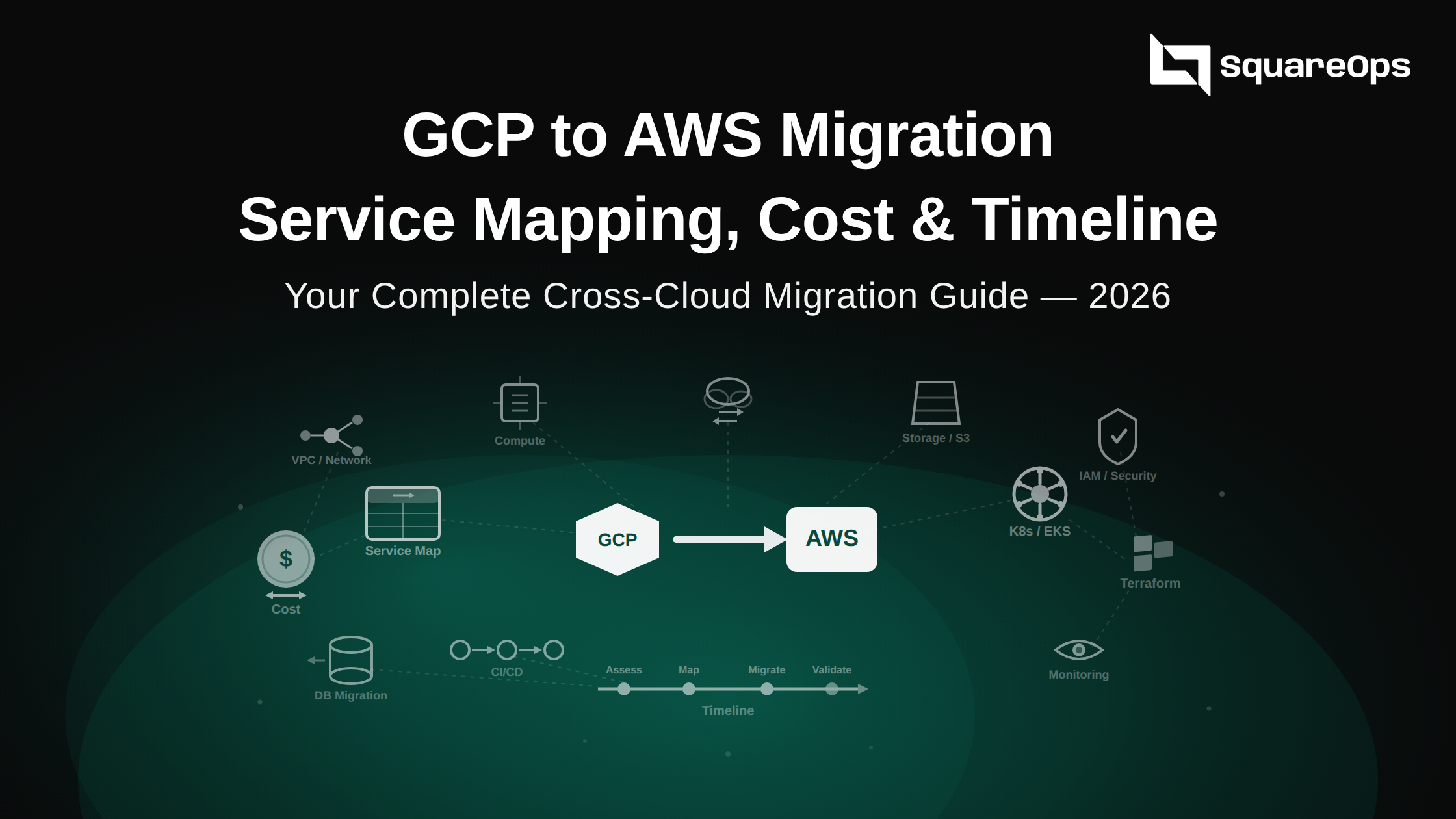
Migrating from GCP to AWS is a strategic move — not a cost-saving one. AWS is typically 10–20% more expensive for equivalent compute, but companies migrate for its broader service catalog (200+ services vs GCP's ~100+), stronger enterprise compliance coverage (FedRAMP, GovCloud, HIPAA BAA across 150+ services), the largest certified talent pool in cloud, and a mature ISV/partner ecosystem with 14,000+ Marketplace listings. This guide covers the complete GCP-to-AWS service mapping for 20+ services, honest service-by-service cost comparison with 2026 pricing, a 5-phase migration timeline (10–30 weeks depending on complexity), networking and IAM rearchitecture requirements, and how to evaluate a migration partner. Based on real GCP-to-AWS migrations we've executed in 2025–2026.
Migrating from Google Cloud Platform to Amazon Web Services isn't a simple re-hosting exercise. GCP and AWS have fundamentally different networking models, IAM architectures, and service paradigms. Companies that treat this as a lift-and-shift end up with AWS infrastructure that's more expensive to run and harder to manage than what they had on GCP.
This guide covers everything you need to execute a GCP-to-AWS migration properly — from the strategic reasons companies make this move, to the service-by-service mapping and cost reality, to the exact phases and timeline you should plan for. We're drawing on migrations we've completed across fintech, SaaS, and healthcare platforms in 2025–2026, including a recent GCP-to-AWS migration for a B2B SaaS company running 40+ microservices on GKE.
Why Do Companies Migrate from GCP to AWS?
Let's be direct: if cost reduction is your only goal, GCP-to-AWS migration is almost certainly the wrong move. AWS is more expensive for most compute workloads. Companies migrate to AWS for strategic, technical, and ecosystem reasons that outweigh the cost premium.
| Reason | Details | Who This Applies To |
|---|---|---|
| Broader Service Catalog (200+ Services) | AWS offers 200+ fully featured services vs GCP's ~100+. Services like Bedrock (managed LLM APIs), Outposts (on-premises hybrid), Ground Station (satellite data), IoT Greengrass, and AppSync have no direct GCP equivalents. According to the AWS global infrastructure page, AWS operates 33 regions with 105 availability zones — the largest footprint of any cloud provider. | Companies needing niche services, hybrid cloud, IoT, or edge computing |
| Enterprise Compliance & Certifications | AWS has FedRAMP High authorization, dedicated GovCloud regions, HIPAA BAA covering 150+ services, and PCI DSS compliance across more services than any other cloud. According to Flexera's 2025 State of the Cloud Report, 87% of enterprises use AWS as their primary or secondary cloud. | Regulated industries: fintech, healthcare, government, defense, insurance |
| Larger Talent Pool & Easier Hiring | AWS has the largest certified professional workforce globally. LinkedIn data shows 3–4x more engineers listing AWS skills than GCP. This reduces hiring timelines, training costs, and onboarding friction for engineering teams. | Companies scaling engineering teams, especially in competitive hiring markets |
| Mature ISV & Partner Ecosystem | AWS Marketplace has 14,000+ listings vs GCP Marketplace's ~3,500. ISVs build AWS integrations first. The AWS Partner Network includes 100,000+ partners across 150+ countries — critical for companies that rely on third-party tooling. | Companies relying on third-party SaaS integrations, enterprise software, or ISV partnerships |
| Specific AWS-Only Services | Amazon Aurora (MySQL/PostgreSQL-compatible with 5x throughput and 1/10th the cost of commercial databases), Graviton processors (ARM-based with 40% better price-performance), EventBridge (serverless event bus), Step Functions (workflow orchestration), and App Runner have no direct GCP equivalents. | Companies needing specific database, serverless, or compute capabilities unavailable on GCP |
| AWS Credits & Startup Programs | AWS Activate provides up to $100K in credits for startups. Many VC firms (a]16z, Sequoia, Y Combinator) have AWS partnerships providing additional credits. Companies with existing AWS credit allocations often consolidate to maximise their runway. | VC-backed startups, companies with existing AWS credits or Enterprise Discount Programs |
| Multi-Cloud Consolidation | Companies standardising on AWS as their primary cloud to reduce operational complexity. Running two clouds means two sets of IAM policies, networking models, monitoring stacks, and on-call procedures. Consolidating to one primary cloud cuts operational overhead by 30–50%. | Multi-cloud companies looking to reduce operational complexity and cross-cloud tooling costs |
GCP vs AWS Cost Comparison: The Honest Picture
We're not going to pretend AWS is cheaper — in most cases, it's not. But understanding where AWS costs more, where it's competitive, and where its pricing model actually wins is critical for budgeting your migration accurately. Here's a service-by-service breakdown based on 2026 pricing data.
Compute: Compute Engine vs EC2
| Specification | GCP (Compute Engine) | AWS (EC2) | Difference |
|---|---|---|---|
| 4 vCPU, 16 GB RAM (on-demand) | $0.1510/hr (n2-standard-4) | $0.1664/hr (m6i.xlarge) | AWS ~10% more expensive |
| Same instance, sustained use (auto-discount) | $0.1057/hr (after 30% sustained-use discount) | $0.1664/hr (no auto-discount on AWS) | AWS ~57% more without commitments |
| Same instance, 1-year commitment | $0.0953/hr (CUD) | $0.1048/hr (Savings Plan) | AWS ~10% more |
| Same instance, 3-year commitment | $0.0680/hr (CUD) | $0.0666/hr (Reserved Instance) | AWS wins by ~2% |
| ARM-based (Graviton vs Tau T2A) | $0.1311/hr (t2a-standard-4) | $0.1088/hr (m7g.xlarge, Graviton3) | AWS Graviton wins by ~17% |
Key insight: GCP's sustained-use discounts are automatic — they kick in when instances run more than 25% of the month, no commitment required. AWS has no equivalent. This means for always-on workloads without upfront commitments, AWS costs 30–57% more. However, AWS Graviton instances (ARM-based) deliver 40% better price-performance than x86, and if your application supports ARM, this single change can make AWS competitive or even cheaper than GCP on-demand pricing.
Managed Kubernetes: GKE vs EKS
| Feature | GCP GKE | AWS EKS | Impact on Migration |
|---|---|---|---|
| Control plane cost | Free (Standard mode) / $0.10/hr (Autopilot) | $0.10/hr ($73/month) per cluster — always | For 5 clusters: $0/mo on GKE Standard vs $365/mo on EKS |
| Node pricing | Compute Engine pricing + sustained-use discounts | EC2 pricing (no auto-discounts) | 10–30% higher node costs on AWS without Savings Plans |
| Serverless containers | Autopilot: pay per pod resources | Fargate: 20–40% premium over EC2 | Fargate is more expensive than GKE Autopilot per resource unit |
| Cluster upgrades | Auto-upgrade with maintenance windows | Manual or managed (with longer rollout windows) | More operational overhead on EKS upgrades |
| Ingress controller | GKE Ingress (native, free) | AWS ALB Ingress Controller (ALB costs apply) | ALB costs ~$16–25/month per ingress + data processing fees |
| Service mesh | Anthos Service Mesh (Istio-based, managed) | App Mesh or self-managed Istio | AWS App Mesh has less adoption; most teams self-manage Istio on EKS |
Key insight: EKS is operationally heavier than GKE. The control plane cost is unavoidable, node pricing lacks auto-discounts, and the upgrade process requires more manual intervention. According to the CNCF 2024 Annual Survey, GKE consistently ranks as the most popular managed Kubernetes service, and teams moving to EKS should plan for increased operational overhead — especially around cluster upgrades, ingress management, and service mesh setup.
Database: Cloud SQL vs RDS
| Database Configuration | GCP (Cloud SQL) | AWS (RDS) | Difference |
|---|---|---|---|
| PostgreSQL, 4 vCPU, 16 GB, 100 GB SSD | ~$290/month (db-custom-4-16384) | ~$340/month (db.m6g.xlarge) | AWS ~17% more |
| MySQL, 2 vCPU, 8 GB, 50 GB SSD | ~$155/month (db-custom-2-8192) | ~$175/month (db.m6g.large) | AWS ~13% more |
| High Availability (Multi-AZ/Region) | ~1.7x single instance cost | 2x single instance cost (Multi-AZ) | GCP HA is cheaper |
| Custom sizing | Yes — pick exact vCPU and RAM | No — choose from fixed instance families | GCP avoids overpaying for unused resources |
However, AWS offers Amazon Aurora — a MySQL/PostgreSQL-compatible database with 5x the throughput of standard MySQL and 3x the throughput of standard PostgreSQL, with storage that auto-scales up to 128 TB. Aurora has no direct GCP equivalent. If you're running write-heavy or high-throughput databases, Aurora's performance advantage can justify the cost premium over Cloud SQL. Aurora Serverless v2 also eliminates capacity planning entirely — something Cloud SQL doesn't offer.
Serverless: Cloud Functions/Cloud Run vs Lambda/Fargate
| Service | GCP | AWS | Notes |
|---|---|---|---|
| Function invocations (per million) | $0.40 (Cloud Functions) | $0.20 (Lambda) | Lambda is 50% cheaper per invocation |
| Function compute (per GB-second) | $0.0000025 | $0.0000166667 | GCP cheaper per GB-second, but Lambda is billed per ms vs per 100ms |
| Container hosting (serverless) | Cloud Run: per request + CPU/memory | Fargate: per vCPU-hour + memory-hour | Cloud Run is cheaper for bursty workloads; Fargate cheaper for steady-state |
| Free tier | 2M invocations/month (Cloud Functions) | 1M invocations/month (Lambda) | GCP offers 2x the free tier |
Key insight: AWS Lambda's ecosystem is more mature — better cold start performance (especially with SnapStart for Java), more event source integrations (EventBridge, SQS, DynamoDB Streams, Kinesis), and a larger library of Lambda Layers. If your GCP workloads use Cloud Run extensively, the closest AWS equivalent is ECS on Fargate or App Runner, not Lambda.
Storage & Data Transfer
| Service | GCP | AWS | Winner |
|---|---|---|---|
| Object storage standard (per GB/month) | $0.020 (Cloud Storage) | $0.023 (S3 Standard) | GCP ~13% cheaper |
| Egress to internet (first 10 TB/month) | $0.12/GB | $0.09/GB | AWS 25% cheaper |
| Egress to internet (10–150 TB/month) | $0.08/GB | $0.085/GB | GCP ~6% cheaper at scale |
| Inter-region transfer | $0.01/GB | $0.02/GB | GCP 50% cheaper |
| Data transfer IN (from internet) | Free | Free | Tied |
Important: AWS recently introduced free data transfer for migrations to AWS using AWS DataSync or AWS Transfer Family. If you're migrating large datasets from GCP, this can save thousands in one-time transfer costs. Post-migration, AWS egress is cheaper for smaller volumes (<10 TB/month), but GCP wins at scale and for inter-region traffic.
How AWS Closes the Cost Gap
AWS has more aggressive cost optimisation tools than GCP. Companies that use them effectively can bring AWS costs to within 5–10% of GCP — or even lower for specific workloads:
- Savings Plans — 1-year or 3-year commitments that cover EC2, Lambda, and Fargate with up to 72% savings. More flexible than Reserved Instances — they apply across instance families, regions, and even operating systems.
- Graviton Instances — ARM-based processors offering 40% better price-performance than x86. If your application runs on Linux and doesn't depend on x86-specific binaries, Graviton alone can make AWS cheaper than GCP on-demand.
- Spot Instances — Up to 90% off on-demand pricing for fault-tolerant workloads (batch processing, CI/CD runners, data pipelines, dev/test environments). AWS's Spot market is more mature and liquid than GCP's Preemptible/Spot VMs.
- Enterprise Discount Program (EDP) — For companies spending $1M+/year on AWS, EDPs provide custom volume discounts of 10–25% across all services. This is the single biggest cost lever for large migrations.
- SpendZero — Our cloud cost optimisation tool with 37+ automated waste detection checks across 25+ AWS services. Identifies idle resources, oversized instances, and unused reservations with one-click remediation. Typical savings: 20–35% on existing AWS spend.
Overall Cost Impact When Migrating GCP to AWS
| Workload Type | Expected AWS Cost vs GCP | Can AWS Match or Beat GCP? | How |
|---|---|---|---|
| Always-on compute (no commitments) | 10–30% more expensive | Yes, with Graviton + Savings Plans | Graviton gives 40% better price-performance; 1-year Savings Plan adds 30% savings |
| Kubernetes clusters | 15–25% more expensive | Partially — control plane cost is unavoidable | Graviton nodes + Spot for non-prod + Karpenter autoscaling |
| Databases (RDS vs Cloud SQL) | 10–17% more expensive | Yes, if migrating to Aurora | Aurora's performance may allow smaller instances for same throughput |
| Serverless functions | Comparable | Yes — Lambda is cheaper per invocation | Lambda pricing is competitive, especially with ARM (Graviton) support |
| Data analytics (BigQuery vs Redshift) | 30–50% more expensive | No — BigQuery's model is fundamentally cheaper | Consider keeping BigQuery on GCP and using cross-cloud queries |
| Large-scale data transfer | Variable | AWS egress cheaper for <10TB; GCP cheaper for inter-region | Use CloudFront for egress (free transfer to CloudFront from S3) |
Bottom line: With disciplined use of Graviton, Savings Plans, and Spot instances, most companies can bring the AWS cost premium to under 10% — and for some workloads, AWS is actually cheaper. The cost premium is the price of a broader service catalog, better compliance, and a deeper talent pool. Whether that trade-off is worth it depends on your specific situation.
Need a cost projection for your specific GCP workloads on AWS? Get a free migration assessment → — we'll build a detailed cost model using your actual GCP usage data, not list prices.
Complete GCP to AWS Service Mapping
One of the most time-consuming parts of any cloud migration is understanding which AWS service replaces which GCP service — and what changes in the migration. Here's the complete mapping for the services most companies use, with migration complexity ratings.
| Category | GCP Service | AWS Equivalent | Complexity | Migration Notes |
|---|---|---|---|---|
| Compute | Compute Engine | EC2 | Low | Direct mapping. Use Graviton (ARM) instances for 40% better price-performance. Custom machine types → choose closest EC2 instance family or use Flex instances. |
| Containers | GKE | EKS | Medium | K8s manifests are portable. Ingress (GKE Ingress → ALB Ingress Controller), CSI drivers, Workload Identity → IRSA, and node autoscaling (GKE Autopilot → Karpenter) need rework. Plan 3–4 weeks for a multi-cluster migration. |
| Serverless Containers | Cloud Run | ECS Fargate / App Runner | Medium | App Runner is the closest match for Cloud Run's simplicity. ECS Fargate offers more control but requires task definitions. Cloud Run's per-request billing has no exact AWS equivalent. |
| Functions | Cloud Functions | Lambda | Low–Medium | Rewrite triggers (Pub/Sub → SQS/EventBridge, Cloud Storage → S3 events). Runtime code is mostly portable. Lambda has stricter package size limits (250 MB unzipped vs Cloud Functions' 500 MB). |
| Object Storage | Cloud Storage | S3 | Low | APIs differ but concepts are identical. Use AWS DataSync or Storage Transfer Service for bulk migration. Lifecycle policies need recreation. IAM policies for bucket access are completely different. |
| Block Storage | Persistent Disk | EBS | Low | Snapshot and restore. gp3 is the default EBS type (3,000 IOPS baseline, cheaper than gp2). PD-SSD → gp3 or io2 depending on IOPS requirements. |
| Relational DB | Cloud SQL (PostgreSQL/MySQL) | RDS or Aurora | Low–Medium | AWS DMS handles live replication with minimal downtime. Aurora offers 5x throughput for MySQL and 3x for PostgreSQL — worth evaluating vs standard RDS. Connection pooling (PgBouncer) setup may differ. |
| NoSQL (Document) | Firestore | DynamoDB | High | Completely different data models. Firestore uses document/collection hierarchy; DynamoDB uses partition keys and sort keys. Application code rewrite required. Plan data model redesign before migration. |
| NoSQL (Wide-Column) | Bigtable | DynamoDB or Keyspaces | High | Bigtable's row-key design patterns don't map directly to DynamoDB. Amazon Keyspaces (Cassandra-compatible) may be a better target if your Bigtable usage resembles Cassandra patterns. |
| Caching | Memorystore | ElastiCache | Low | Both support Redis and Memcached. Snapshot export/import for data migration. Security group and subnet configuration needed on AWS. |
| Data Warehouse | BigQuery | Redshift / Athena | High | Fundamentally different architectures. BigQuery is serverless with per-query pricing; Redshift requires cluster management. Consider keeping BigQuery on GCP and using BigQuery Omni or cross-cloud queries if analytics is a primary GCP strength for you. |
| Stream Processing | Pub/Sub | SQS + SNS / Kinesis / EventBridge | Medium | Pub/Sub combines pub/sub and queue patterns. Map to SNS (fan-out) + SQS (queuing) or Kinesis (streaming). EventBridge for event-driven architectures. Application code changes required for each. |
| CDN | Cloud CDN | CloudFront | Low | Different configuration model but same concepts. CloudFront has more edge locations (400+ vs ~150). DNS cutover required. S3 → CloudFront transfer is free (major cost advantage). |
| DNS | Cloud DNS | Route 53 | Low | Zone file export/import. Route 53 adds health checks and routing policies (latency-based, geolocation, failover) that Cloud DNS doesn't natively support. Plan for TTL propagation during cutover. |
| Load Balancing | Cloud Load Balancing | ALB / NLB / GLB | Medium | GCP's single global load balancer → separate ALB (HTTP/S), NLB (TCP/UDP), and GLB (cross-region) on AWS. More configuration required, but more granular control. |
| IAM | Cloud IAM | AWS IAM | High | Completely different model. GCP uses project-level role bindings; AWS uses account-level policy documents attached to users/roles/groups. This is the most underestimated migration task — plan 2–4 weeks for IAM alone. |
| Secrets | Secret Manager | Secrets Manager / SSM Parameter Store | Low | Same concept, different APIs. AWS Secrets Manager costs $0.40/secret/month; SSM Parameter Store is free for standard parameters. Automated migration scripts available. |
| Monitoring | Cloud Monitoring + Cloud Logging | CloudWatch + CloudTrail | Medium | Custom metrics, dashboards, and alerts need rebuilding. Consider Prometheus + Grafana as a cloud-agnostic monitoring stack to avoid vendor lock-in on the monitoring layer. |
| CI/CD | Cloud Build | CodePipeline + CodeBuild / GitHub Actions | Medium | Pipeline definitions are not portable. If using Cloud Build YAML, rewrite for CodeBuild buildspec.yml or (recommended) migrate to GitHub Actions as a cloud-agnostic CI/CD platform. |
| Container Registry | Artifact Registry | ECR | Low | Push existing images to ECR. Update all K8s manifests and CI/CD pipelines to reference ECR URLs. Set up ECR lifecycle policies to match Artifact Registry cleanup rules. |
| VPN/Interconnect | Cloud Interconnect / Cloud VPN | Direct Connect / Site-to-Site VPN | Medium | AWS Direct Connect has more partner locations globally. During migration, set up VPN between GCP and AWS VPCs for hybrid connectivity. |
| ML Platform | Vertex AI | SageMaker | High | Different APIs, SDKs, and workflow patterns. Model artifacts may be portable (TensorFlow, PyTorch), but training pipelines, feature stores, and serving infrastructure need full rebuild. |
What Does a GCP to AWS Migration Timeline Look Like?
Migration timelines depend on infrastructure complexity, data volume, team availability, and how many services need rearchitecting (not just rehosting). Here are realistic timelines based on migrations we've executed — not vendor marketing estimates.
Phase 1: Assessment & Planning (2–4 Weeks)
- Infrastructure inventory — Catalogue all GCP resources using
gcloud asset search-all-resources. Document every Compute Engine instance, GKE cluster, Cloud SQL database, Cloud Storage bucket, Pub/Sub topic, and IAM binding. - Dependency mapping — Identify service-to-service dependencies, external API integrations, VPN/Interconnect connections, and data flows between services. This is where 80% of migration surprises hide.
- Cost modelling — Build a detailed AWS cost projection using actual GCP usage data (not list prices). Include Graviton savings, Savings Plan projections, and EDP eligibility. Use the AWS Pricing Calculator with your real workload profiles.
- Migration strategy per service — Decide rehost, re-platform, or re-architect for each component. Not everything needs the same approach.
- Risk assessment — Identify data sovereignty requirements, compliance constraints, integration dependencies, and services with no direct AWS equivalent (BigQuery, Cloud Spanner).
- Timeline and cutover plan — Define migration waves, rollback criteria, success metrics, and the communication plan for internal teams and external stakeholders.
This phase is non-negotiable. Companies that skip assessment and jump straight to migration spend 2–3x longer on the overall project. Every hour spent on assessment saves 3–5 hours during execution.
Phase 2: AWS Foundation Setup (2–3 Weeks)
- AWS account structure — AWS Organizations with SCPs (Service Control Policies), dedicated accounts for production/staging/dev, centralised billing. This replaces GCP's project/folder hierarchy.
- IAM architecture — Role definitions, IAM policies, cross-account access patterns, SSO configuration (AWS IAM Identity Center). Replace GCP Workload Identity with IRSA (IAM Roles for Service Accounts) for Kubernetes. This is the most labour-intensive setup task.
- Networking — VPC design (AWS VPCs are regional, not global like GCP), subnets across availability zones, security groups, NACLs, VPN or Direct Connect for hybrid connectivity during migration. See the networking section below for the critical GCP → AWS differences.
- Infrastructure as Code — Terraform modules for all AWS resources. If you're using Terraform on GCP already, you'll rewrite the provider blocks and resource definitions but keep the same module structure and state management approach.
- Monitoring and logging — CloudWatch dashboards, CloudTrail for audit logging, alerting policies, SNS notification channels. Or (recommended) deploy a cloud-agnostic stack: Prometheus + Grafana + Loki on EKS.
- CI/CD pipelines — Set up CodePipeline + CodeBuild, or (recommended) migrate to GitHub Actions for cloud-agnostic CI/CD that works identically across GCP and AWS.
Phase 3: Data Migration (2–6 Weeks)
- Database migration — AWS DMS for live replication from Cloud SQL to RDS/Aurora. Set up continuous replication, validate schema compatibility, run data integrity checks. For PostgreSQL, consider
pglogicalfor logical replication if DMS doesn't support specific extensions. - Object storage migration — AWS DataSync for Cloud Storage to S3 bulk transfer. For large datasets (50+ TB), consider using GCP's Storage Transfer Service to push to S3 directly, or AWS Snowball for physical transfer.
- Stateful workloads — Cache warming strategies for ElastiCache, session migration, queue draining (Pub/Sub → SQS), and state file migration for any stateful services.
- Data validation — Automated consistency checks: row counts, checksum verification, query result comparison between GCP and AWS databases. Never trust a migration without validation.
Data migration is almost always the longest phase. A 5 TB PostgreSQL database with continuous replication typically takes 1–3 weeks depending on the change rate and network bandwidth between GCP and AWS.
Phase 4: Application Migration & Testing (3–6 Weeks)
- Wave 1 — Dev/staging environments — Deploy non-production workloads on AWS first. This validates your Terraform modules, CI/CD pipelines, and networking configuration without risking production.
- Wave 2 — Stateless services — Migrate stateless microservices (APIs, web frontends, workers) to EKS or ECS. These are lowest risk since they can be rolled back quickly.
- Wave 3 — Stateful services — Migrate services with databases, caches, and persistent storage. Coordinate with data migration timelines.
- Integration testing — Verify all service connections, API endpoints, external integrations, webhook URLs, and third-party SaaS connections.
- Performance testing — Load testing on AWS to validate latency, throughput, and autoscaling behaviour. Compare against GCP baselines.
- Security validation — Penetration testing, compliance checks, IAM policy review, and Security Hub findings remediation.
Phase 5: Cutover & Optimisation (1–2 Weeks)
- DNS cutover — Gradual traffic shift from GCP to AWS using weighted DNS routing in Route 53. Start with 10% → 25% → 50% → 100% over 48–72 hours.
- Monitoring — 24/7 observation during the first 72 hours post-cutover. Have rollback procedures documented and tested.
- GCP decommission — Scale down GCP resources immediately after cutover, but keep them running (scaled to minimum) for 30 days as a rollback safety net. Terminate after 30 days of stable AWS operation.
- Cost optimisation — Right-size instances based on actual AWS usage data (not GCP estimates), apply Savings Plans, enable cost anomaly detection, and clean up unused resources.
Total Timeline Summary
| Company Size | Infrastructure Complexity | Typical Timeline |
|---|---|---|
| Startup (5–20 services) | Low — few databases, single GKE cluster, basic networking | 8–12 weeks |
| Mid-market (20–50 services) | Medium — multiple databases, microservices on GKE, CI/CD pipelines, compliance requirements | 12–20 weeks |
| Enterprise (50+ services) | High — multi-region, complex IAM, BigQuery analytics, legacy integrations, regulatory requirements | 20–30+ weeks |
How Should You Rearchitect Networking for AWS?
This is one of the most critical — and most underestimated — parts of a GCP-to-AWS migration. GCP and AWS have fundamentally different networking models, and copying your GCP network design to AWS will cause problems.
| Concept | GCP | AWS | Migration Impact |
|---|---|---|---|
| VPC scope | Global — one VPC spans all regions | Regional — one VPC per region | You need multiple VPCs on AWS where you had one on GCP. Design a hub-and-spoke or transit gateway topology. |
| Subnets | Regional (span all zones in a region) | Availability Zone-specific | You need 3 subnets per tier per region on AWS (one per AZ) vs 1 per region on GCP. |
| Firewall rules | VPC-level firewall rules (global) | Security Groups (instance-level) + NACLs (subnet-level) | GCP firewall rules → combination of Security Groups and NACLs. Security Groups are stateful; NACLs are stateless. |
| Cross-region connectivity | Automatic (global VPC) | VPC Peering or Transit Gateway (explicit setup required) | Set up Transit Gateway for multi-region architectures. Additional cost per GB of cross-region traffic. |
| Private Google Access / PrivateLink | Private Google Access (simple toggle) | VPC Endpoints / PrivateLink (per-service setup) | Create VPC endpoints for each AWS service you need to access privately (S3, DynamoDB, ECR, etc.). |
| Load balancing | Single global load balancer | ALB (regional) + Global Accelerator (for global) | GCP's global LB → ALB per region + Global Accelerator for cross-region routing. |
Recommendation: Design your AWS network from scratch based on the AWS VPC best practices, not by copying your GCP topology. Use Transit Gateway for multi-region connectivity, create VPC endpoints for all AWS services you'll use, and implement a consistent CIDR allocation strategy that allows for future expansion.
What Changes in IAM When Moving from GCP to AWS?
IAM is the single most underestimated task in any GCP-to-AWS migration. The two platforms use fundamentally different permission models, and there's no automated conversion tool.
| Concept | GCP | AWS |
|---|---|---|
| Permission model | Role bindings at project/folder/org level | Policy documents attached to users/roles/groups |
| Service accounts | Project-scoped, used for workload identity | IAM Roles assumed by services (instance profiles, IRSA for K8s) |
| Resource hierarchy | Org → Folders → Projects → Resources | Org → OUs → Accounts → Resources |
| Policy language | YAML/JSON role bindings | JSON policy documents with Effect/Action/Resource/Condition |
| Cross-project/account access | Resource-level IAM bindings | Cross-account IAM roles with trust policies |
| Kubernetes integration | Workload Identity (native) | IRSA — IAM Roles for Service Accounts (requires OIDC provider setup) |
Migration approach: Audit all GCP IAM bindings using gcloud projects get-iam-policy. Map each GCP role to the equivalent AWS managed policy or create custom policies. Implement least-privilege from day one on AWS — don't migrate overly broad GCP roles into equally broad AWS policies. Budget 2–4 weeks for IAM migration on any non-trivial infrastructure.
What Are the Biggest Challenges in GCP to AWS Migration?
1. BigQuery Has No Direct AWS Equivalent
BigQuery's serverless, pay-per-query model with automatic scaling is fundamentally different from anything AWS offers. Redshift requires cluster management, capacity planning, and has a completely different pricing model. Athena is serverless but limited to S3-based queries and lacks BigQuery's real-time streaming inserts and ML capabilities.
Recommendation: If BigQuery is a core part of your data stack, consider keeping it on GCP and using BigQuery Omni to query data stored in S3 — or use cross-cloud connectivity to access BigQuery from AWS-hosted applications. Not every service needs to move.
2. GCP's Global VPC → AWS's Regional VPC Model
This isn't just a configuration change — it's an architecture redesign. GCP's single global VPC becomes multiple regional VPCs connected via Transit Gateway on AWS. This affects firewall rules, routing tables, cross-region service discovery, and load balancing topology. See the networking section above for the full comparison.
3. Kubernetes Migration Complexity (GKE → EKS)
While K8s manifests are portable, the platform integrations are not. GKE-specific features that need rework on EKS:
- Ingress — GKE Ingress → AWS ALB Ingress Controller (different annotations, different health check models)
- Autoscaling — GKE Autopilot or Cluster Autoscaler → Karpenter (AWS's next-gen autoscaler, significantly more capable)
- Workload Identity → IRSA (IAM Roles for Service Accounts — requires OIDC provider setup)
- Config Connector — GKE's Config Connector for managing GCP resources from K8s has no direct EKS equivalent. Use Terraform or AWS Controllers for Kubernetes (ACK) instead.
- Anthos Service Mesh → Self-managed Istio or AWS App Mesh (less mature)
4. Data Transfer Costs and Time
Moving large datasets between clouds is expensive and slow. GCP charges egress fees on data leaving their network. For a 10 TB database with continuous replication running for 2 weeks, expect $1,200–$1,500 in egress costs alone. For datasets over 50 TB, consider physical transfer options (though neither AWS Snowball nor GCP Transfer Appliance supports direct cloud-to-cloud physical transfer — you'd need an intermediary).
5. Team Skill Gap
Your engineering team knows GCP. They think in GCP concepts (projects, global VPCs, Cloud Build). AWS uses different terminology, different console layouts, different CLI patterns, and different architectural patterns. Budget for training: AWS Cloud Practitioner certification for the broader team and Solutions Architect certification for the infrastructure team. This typically takes 4–8 weeks of part-time study.
6. Firestore/Spanner → DynamoDB Data Model Redesign
If you're using Firestore's document/collection model or Spanner's globally distributed SQL, migrating to DynamoDB requires a complete data model redesign. DynamoDB's single-table design patterns, partition key selection, and GSI (Global Secondary Index) strategies are fundamentally different. This is not a migration — it's a rebuild. Budget 4–6 weeks for data modelling and application code changes.
When Should You NOT Migrate from GCP to AWS?
Honest advice: not every GCP-to-AWS migration makes sense. Don't migrate if:
- BigQuery is central to your data stack — No AWS service matches BigQuery's serverless analytics model. If your company runs complex analytics workloads, data science pipelines, or real-time dashboards on BigQuery, moving to Redshift will cost more and require more operational effort.
- You're running GKE Autopilot successfully — GKE is the best managed Kubernetes service. If your entire platform runs on GKE Autopilot and your team is productive, the operational overhead increase of moving to EKS may not justify the migration.
- Cost is the primary driver — AWS is more expensive for most workloads. If your GCP bill is your main pain point, migrating to AWS will make it worse.
- Your team lacks AWS experience and you can't hire — A migration to a platform your team doesn't know, without budget for training or hiring, will result in poorly architected infrastructure that's expensive and hard to maintain.
- You're in the middle of a product launch — Cloud migrations are disruptive. Don't start one during a critical business period. Wait for a relative calm in your product roadmap.
How to Choose a Cloud Migration Partner for GCP to AWS
The migration partner you choose determines whether you complete the migration on time and under budget — or end up in a 6-month firefight with unexpected downtime, data loss, and cost overruns.
1. Dual-Cloud Expertise (Both GCP AND AWS)
A migration partner must have deep expertise in both platforms. An AWS-only partner won't understand your GCP architecture deeply enough to migrate it safely. A GCP-only partner won't design optimal AWS architectures. Look for dual partner status — companies certified by both Google Cloud and AWS.
2. Infrastructure as Code from Day One
If your migration partner is clicking through the AWS Console instead of writing Terraform, walk away. Every AWS resource should be defined in code from day one. This ensures reproducibility, enables disaster recovery, and makes rollback possible if something goes wrong.
3. Zero-Downtime Migration Capability
For production workloads, downtime during migration is not acceptable. Your partner should have proven experience with live database replication (DMS), blue/green DNS cutover, and gradual traffic shifting — not "we'll schedule a maintenance window."
4. Cost Optimisation Built In
A good migration partner doesn't just move your infrastructure — they optimise it for AWS from day one. Graviton instances, Savings Plans, Spot instances for non-production, and right-sizing should all be part of the migration plan, not an afterthought. Look for partners with FinOps expertise.
5. Post-Migration Support
Migration day is not the finish line. You need 24/7 support during the stabilisation period, ongoing optimisation, and a partner who will help your team build AWS expertise over time.
Partner Evaluation Scorecard
| Criteria | Weight | What to Look For |
|---|---|---|
| Dual-cloud certifications | 20% | AWS Advanced Partner + GCP Partner status. Certified architects on both platforms. |
| Migration track record | 25% | Documented case studies with timelines, cost outcomes, and client references. |
| IaC maturity | 15% | Terraform-first approach. All infrastructure in version-controlled Git repos. |
| Cost optimisation capability | 15% | FinOps tooling, Graviton adoption, Savings Plan strategy, post-migration cost review. |
| Security & compliance | 15% | ISO 27001, SOC 2 experience, compliance automation, VAPT capability. |
| Post-migration support | 10% | 24/7 on-call, managed operations option, knowledge transfer and training plan. |
Why SquareOps for GCP to AWS Migration
SquareOps is both an AWS Advanced Consulting Partner and a GCP Partner — one of the few cloud migration companies with deep certification and hands-on experience on both platforms. Here's what makes us different:
- 100+ Cloud Migrations Completed — across startups, mid-market, and enterprise clients in US, India, UK, Germany, UAE, Singapore, Japan, and Australia
- Terraform-First, Always — every AWS resource is defined in IaC from day one. You own the code in your Git repos.
- Zero-Downtime Guarantee — live database replication via DMS, blue/green DNS cutover, and gradual traffic shifting for production workloads
- Built-In FinOps — we use SpendZero (37+ automated checks across 25+ AWS services) to identify and eliminate waste before, during, and after migration
- ISO 27001 Certified — security and compliance baked into every migration, not bolted on afterward
- Kubernetes Specialists — deep GKE and EKS expertise with 50+ K8s clusters managed. We handle the GKE → EKS migration including ingress, autoscaling (Karpenter), IRSA, and service mesh setup
- 24/7 Post-Migration Support — dedicated on-call coverage during stabilisation, with optional ongoing managed AWS operations
Get a free GCP-to-AWS migration assessment — we'll give you a detailed cost comparison, architecture review, timeline, and migration plan within 48 hours.