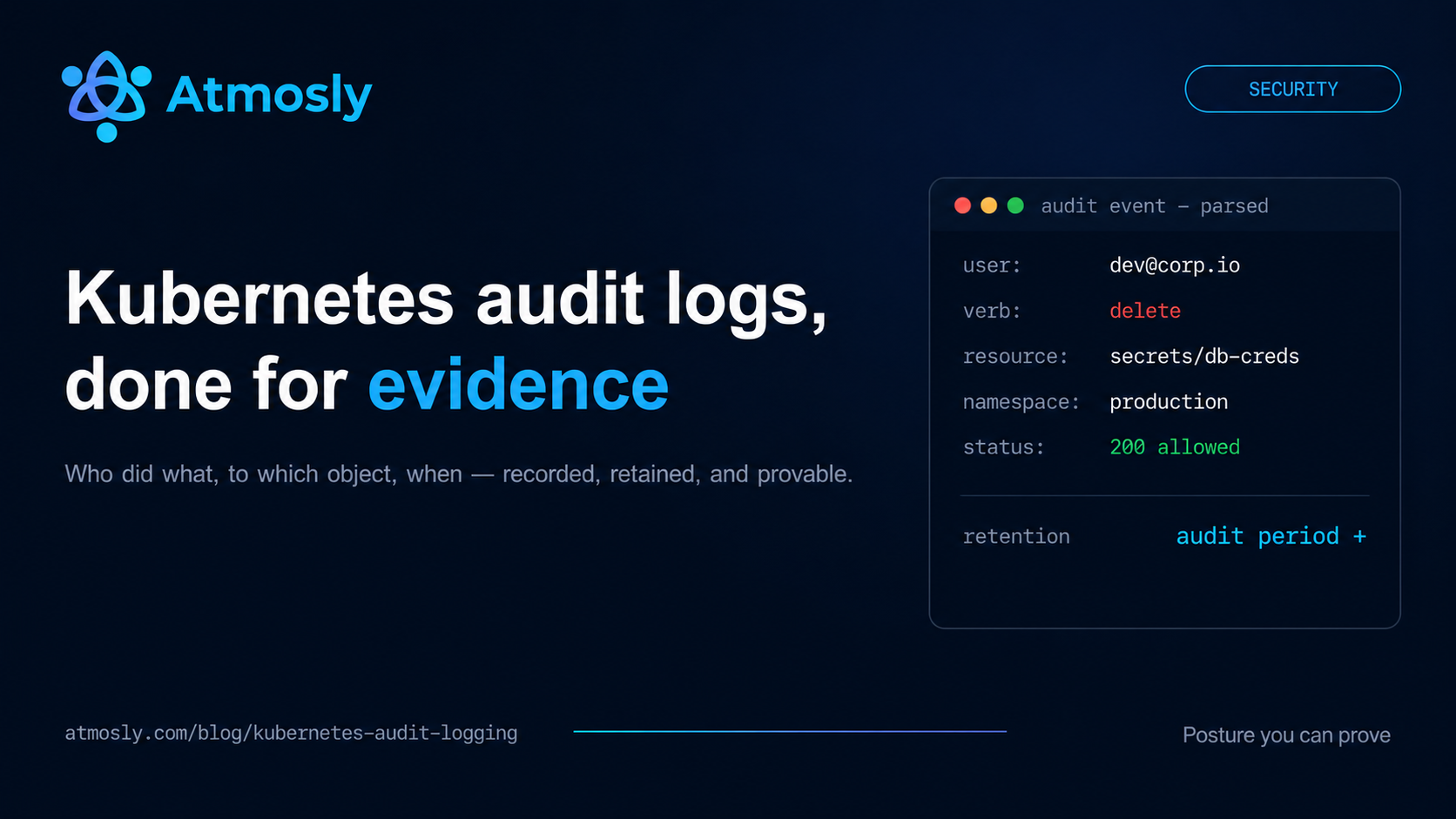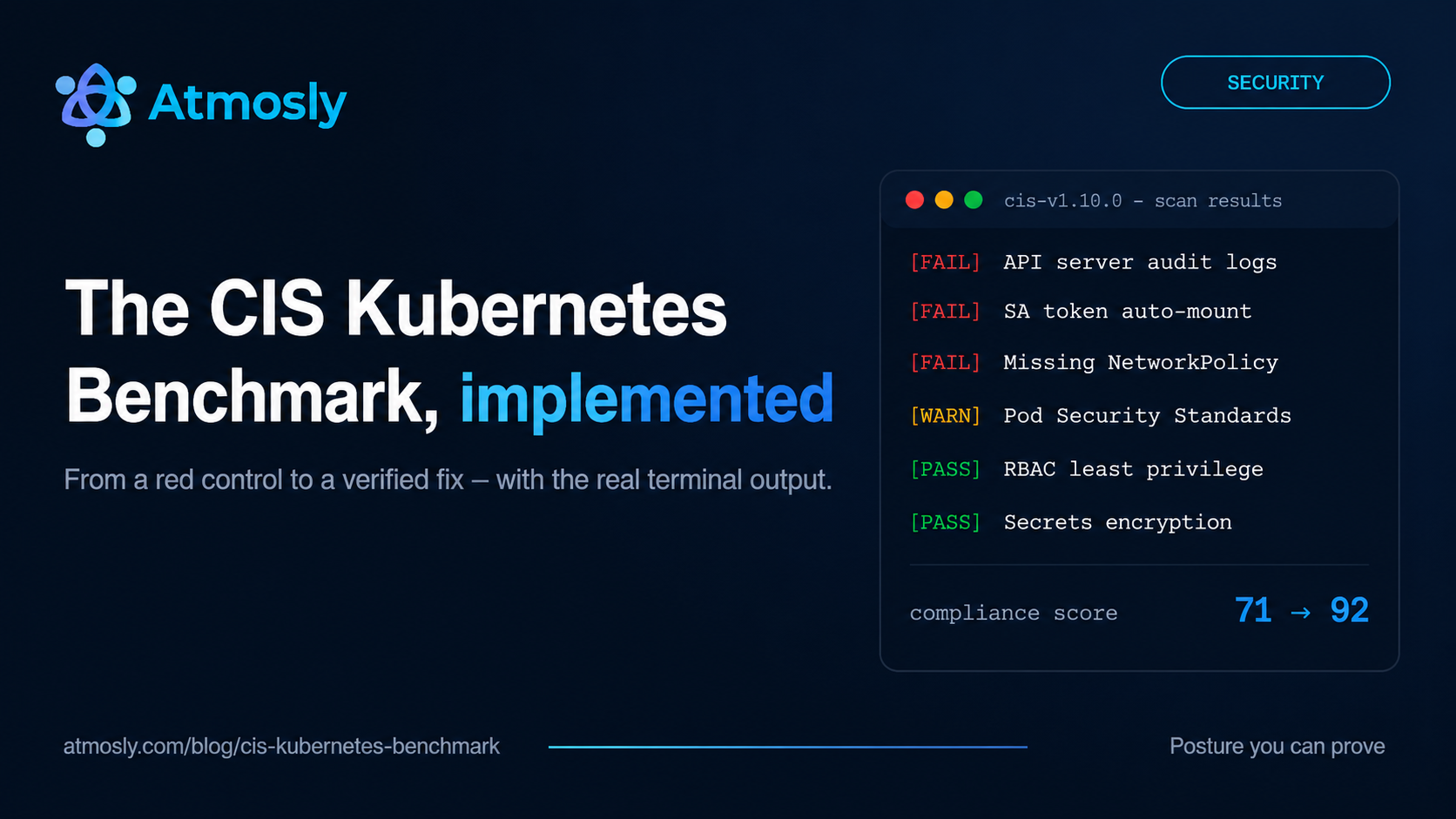
The first time most teams run the CIS Kubernetes Benchmark against a production cluster, the score lands somewhere in the 60s or 70s. Not because anyone did anything reckless — because Kubernetes defaults are built for "the workload starts," not "the workload is contained." Audit logging is off, every pod is quietly holding an API credential, the pod network is flat, and nothing stops a privileged container from scheduling.
This guide is the implementation walkthrough we wished existed: what the benchmark actually contains, how managed Kubernetes changes which checks are yours to fix, the real terminal output you will see from kube-bench and Kubescape, and a hands-on remediation of the four checks that fail on almost every fresh EKS cluster. By the end you should be able to run the benchmark, read the results without panic, and move the score with specific, verifiable changes.
What the CIS Kubernetes Benchmark actually is
The CIS Kubernetes Benchmark is a community-maintained hardening standard published by the Center for Internet Security. The current line used by most scanners is v1.10.0, and it is organised into five areas:
- Control plane components. Flag-level checks on the API server, controller manager, and scheduler — anonymous auth, authorization modes, TLS settings, admission plugins.
- etcd. Encryption, peer TLS, and client certificate auth for the datastore that holds every Secret in your cluster.
- Control plane configuration. Authentication mechanisms and, critically, audit logging.
- Worker nodes. Kubelet configuration and file permissions on every node.
- Policies. The section most teams actually own day to day: RBAC, service accounts, Pod Security Standards, network policies, and secrets handling.
Two structural details matter before you run anything. First, controls are split into Level 1 (basic hardening, low risk of breaking workloads) and Level 2 (defence-in-depth, may require workload changes) — treat Level 1 as the floor, not the ceiling. Second, checks are either scored or not scored: a "not scored" item is still worth doing; it just isn't machine-verifiable in a consistent way.
Managed Kubernetes changes which checks are yours
On EKS, GKE, or AKS, you cannot SSH into the control plane, and you cannot pass flags to the API server. That means the entire control-plane and etcd sections of the generic benchmark are the cloud provider's responsibility — which is why CIS publishes provider-specific variants (CIS-EKS, CIS-GKE, CIS-AKS) that drop those checks and add provider-native ones instead.
A practical consequence: a scanner that reports zero across control-plane checks on a managed cluster is not telling you the cluster is insecure — it is telling you it cannot see the API server's internals. Good tools handle this honestly. Provider variants such as the CIS Amazon EKS Benchmark exist for exactly this reason: they drop the checks you cannot reach and add the ones you control. When you evaluate any CIS tooling, check how it treats this boundary — a tool that scores unreachable checks as failures will bury your real findings under noise.
What remains squarely yours on managed Kubernetes: audit log configuration (exposed as a provider setting), the entire Policies section, node group configuration, and everything your workloads declare in their specs. That is where the rest of this guide lives.
Running the benchmark: kube-bench and Kubescape
Two open-source tools dominate CIS scanning, and they answer slightly different questions.
kube-bench (from Aqua Security) executes the benchmark's audit commands literally — it reads flags, file permissions, and kubelet config on the node it runs on. Run it as a Job:
kubectl apply -f https://raw.githubusercontent.com/aquasecurity/kube-bench/main/job-eks.yaml
kubectl logs job/kube-bench
The output is blunt and useful:
[INFO] 3 Worker Node Security Configuration
[INFO] 3.1 Worker Node Configuration Files
[PASS] 3.1.1 Ensure that the kubeconfig file permissions are set to 644 or more restrictive
[PASS] 3.1.2 Ensure that the kubelet kubeconfig file ownership is set to root:root
[INFO] 3.2 Kubelet
[PASS] 3.2.1 Ensure that the Anonymous Auth is Not Enabled
[FAIL] 3.2.9 Ensure that the --eventRecordQPS argument is set to 0 or a level which ensures appropriate event capture
[INFO] 4 Policies
[FAIL] 4.1.5 Minimize wildcard use in Roles and ClusterRoles
[FAIL] 4.1.6 Ensure that Service Account Tokens are only mounted where necessary
[FAIL] 4.3.2 Ensure that all Namespaces have Network Policies defined

== Summary total ==
28 checks PASS
9 checks FAIL
14 checks WARN
Kubescape evaluates the same benchmark (framework id cis-v1.10.0) but from the API's view of the cluster — it inspects live workloads, RBAC objects, and network policies rather than node files, and it also maps findings to other frameworks in the same pass:
kubescape scan framework cis-v1.10.0

Security posture overview for cluster: prod-eks

Controls: 124 (Failed: 31, action required: 19)
Compliance score: 71.42%

┌──────────┬─────────────────────────────────────────┬──────────┬───────────┐
│ Severity │ Control name                            │ Status   │ Resources │
├──────────┼─────────────────────────────────────────┼──────────┼───────────┤
│ High     │ Audit logs enabled                      │ failed   │ 1         │
│ High     │ Automatic mapping of service account    │ failed   │ 47        │
│ Medium   │ Missing network policy                  │ failed   │ 12        │
│ Medium   │ Pods in default namespace               │ failed   │ 3         │
└──────────┴─────────────────────────────────────────┴──────────┴───────────┘
They complement each other: kube-bench proves node-level configuration for an auditor; Kubescape tells you which workload, which manifest, which field. For ongoing posture work, the workload-level view is the one you will act on weekly.
See which CIS Amazon EKS controls your clusters fail.
SquareOps Verity, in early access: read-only CIS Amazon EKS and CIS AWS Foundations checks, findings ranked by real risk. Nothing changes in your accounts.
With a first scan in hand, the question becomes where to start. On EKS specifically, four findings show up so reliably that you can prepare the fixes before you even run the scan.
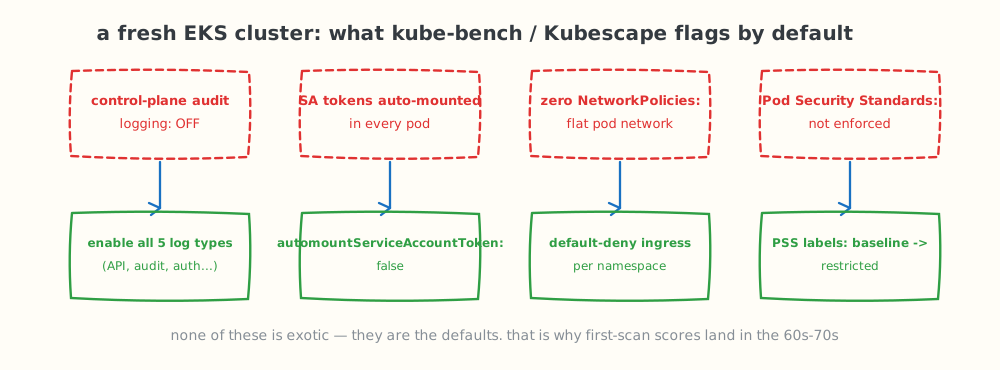
The four findings almost every fresh EKS cluster produces — and the fix for each. None of them is exotic; they are the defaults.
The four checks that fail on almost every fresh EKS cluster
1. Control-plane audit logging is off
Why it is flagged: EKS ships with all five control-plane log types disabled. Without the audit log there is no record of who created that ClusterRoleBinding, and no forensic trail after an incident — which is also why this single setting blocks several compliance frameworks, not just CIS.
The fix is one AWS API call (note: CloudWatch ingestion for these logs is a real cost on busy clusters — enable at minimum audit and authenticator if you need to stage it):
aws eks update-cluster-config \
  --name prod-eks \
  --logging '{"clusterLogging":[{"types":["api","audit","authenticator","controllerManager","scheduler"],"enabled":true}]}'
Verify:
aws eks describe-cluster --name prod-eks \
  --query 'cluster.logging.clusterLogging[0].enabled'
true
2. Service account tokens are auto-mounted into every pod
Why it is flagged: by default, every pod gets a projected API token whether or not it ever talks to the API server. A compromised nginx container should not be holding cluster credentials. This is CIS 4.1.6 territory and typically the largest resource count in the whole scan — 40+ workloads is normal.
The fix is to make non-mounting the default at the ServiceAccount level and opt in the few workloads that genuinely need the API:
kubectl patch serviceaccount default -n payments \
  -p '{"automountServiceAccountToken": false}'
And in the pod spec for workloads that do need it, set it explicitly so intent is visible in review:
spec:
  automountServiceAccountToken: true
  serviceAccountName: payments-reconciler
Verify that a running pod no longer carries the token:
kubectl exec deploy/checkout -n payments -- \
  ls /var/run/secrets/kubernetes.io/serviceaccount
ls: /var/run/secrets/kubernetes.io/serviceaccount: No such file or directory
3. Zero NetworkPolicies: the pod network is flat
Why it is flagged: with no NetworkPolicy objects, every pod can reach every other pod in the cluster. Lateral movement after a single compromised workload is free. CIS 4.3.2 asks for policies in every namespace.
The fix starts with default-deny ingress per namespace, then explicit allows:
apiVersion: networking.k8s.io/v1
kind: NetworkPolicy
metadata:
  name: default-deny-ingress
  namespace: payments
spec:
  podSelector: {}
  policyTypes:
    - Ingress
Roll this out namespace by namespace, watching for broken flows before moving on — a cluster-wide big-bang default-deny is how security work gets rolled back. The full pattern, including egress control and DNS allowances, is in our Kubernetes network policies implementation guide.
4. Pod Security Standards are not enforced
Why it is flagged: without Pod Security Admission labels, nothing in the cluster refuses a privileged pod, a hostPath mount, or a container running as root. The benchmark's policies section expects an enforced standard.
The fix is namespace labels — warn first, then enforce:
kubectl label namespace payments \
  pod-security.kubernetes.io/warn=restricted \
  pod-security.kubernetes.io/enforce=baseline
Run in this warn/enforce split for a week, read the warnings, fix the specs, then raise enforce to restricted. The official PSS documentation defines exactly what each profile rejects, and our Pod Security Standards implementation guide covers the migration mechanics, including exemptions.
From a red control to a verified fix
The four fixes above share a shape worth naming, because it is the difference between compliance theatre and an actual security improvement: detect → understand → verify → fix → re-scan. The step teams skip is verify — running the check against the specific resource before and after the change. Skip it and you accumulate tickets marked done for controls that still fail.
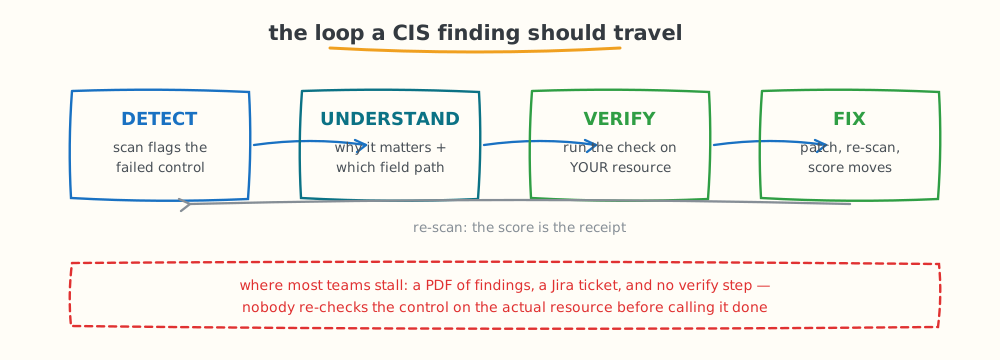
The loop a finding should travel. Most remediation programmes stall at a PDF of findings and a ticket queue — nothing closes the loop back to the control.
This loop is also where tooling earns its keep. Kubescape drills each failed control down to the affected Kind, name, and namespace plus the exact manifest field path — not "your deployment is insecure" but spec.template.spec.containers[0].securityContext.readOnlyRootFilesystem should be true — and kube-bench gives you the node-level audit result. What scanners on their own do not do is track the fix: who owns it, whether it was applied, and whether the control actually passes again. On AWS, SquareOps Verity, now in early access, covers that part for EKS clusters and the accounts around them. It checks against the CIS Amazon EKS and CIS AWS Foundations benchmarks with read-only access, ranks findings by exposure, data sensitivity, attack-path reach and exploitability, gives each finding an owner and guided fix steps, and closes it only when the next scan verifies it — reopening it if the fix regresses. Verity does not change anything in your accounts: a human applies the fix, and the re-scan turns the score into the receipt.
Prioritising: severity first, blast radius second
A first scan on a real cluster returns 25–40 failed controls. Do not sort by count. A privileged container finding affecting one workload outranks a labels-hygiene finding affecting a hundred, because severity is about what an attacker gains, not how many objects are touched. A working triage order:
- Critical and High severity controls, regardless of resource count — privileged containers, host namespace access, RBAC wildcards, missing audit logs.
- Access-shaped Mediums — service account token mounting, secrets in environment variables, cluster-admin bindings. Pair this with a real least-privilege pass using our Kubernetes RBAC authorization guide.
- Network segmentation — the NetworkPolicy rollout, namespace by namespace.
- Everything else, batched into normal engineering work rather than a security sprint.
Expect the score to move in steps, not linearly: the token auto-mount fix alone often clears the single largest failed-resource count in the report.
Making the score stick: from one-off scan to operating rhythm
The failure mode after a successful hardening sprint is silence: the score hits the high 80s, the project closes, and eighteen months later a new team inherits a cluster nobody has scanned since. Three habits prevent it:
- Scan on triggers, not just on calendars. Re-run the benchmark after cluster upgrades, after new namespaces or node groups land, and after any change to RBAC or admission configuration — these are the events that move posture. A monthly baseline on top catches drift the triggers miss.
- Set a threshold and band it. Pick a compliance score below which the platform team treats findings as work, not wallpaper — 80 is a common line — and track the trend, not just the number. A score that drifts from 91 to 84 over a quarter is a signal even though both numbers look green in isolation.
- Catch regressions at the spec, not in the cluster. Most new failures arrive in a Deployment manifest: a debug container someone left privileged, a fresh workload with no resource limits. Scanning manifests in CI (Kubescape runs against files and Helm charts, not just live clusters) turns those into review comments instead of next month's findings.
One more version note: the benchmark itself moves. CIS revises the Kubernetes benchmark as new releases change defaults, so pin the version your tooling evaluates (v1.10.0 here), and treat a benchmark upgrade like a dependency upgrade — re-baseline, diff the new failures, and schedule them deliberately rather than absorbing a surprise score drop.
What this guide deliberately does not cover
Keeping the boundaries explicit, because adjacent topics have their own homes:
- Image and CVE scanning. The CIS benchmark checks configuration. Whether the packages inside your images carry known CVEs is a different scan with different tools (Trivy, Grype) — configuration posture and vulnerability scanning are complementary, not interchangeable.
- Secrets management architecture. The benchmark checks that secrets are not in env vars and etcd is encrypted; choosing between Vault, Sealed Secrets, and External Secrets is covered in our secrets management comparison.
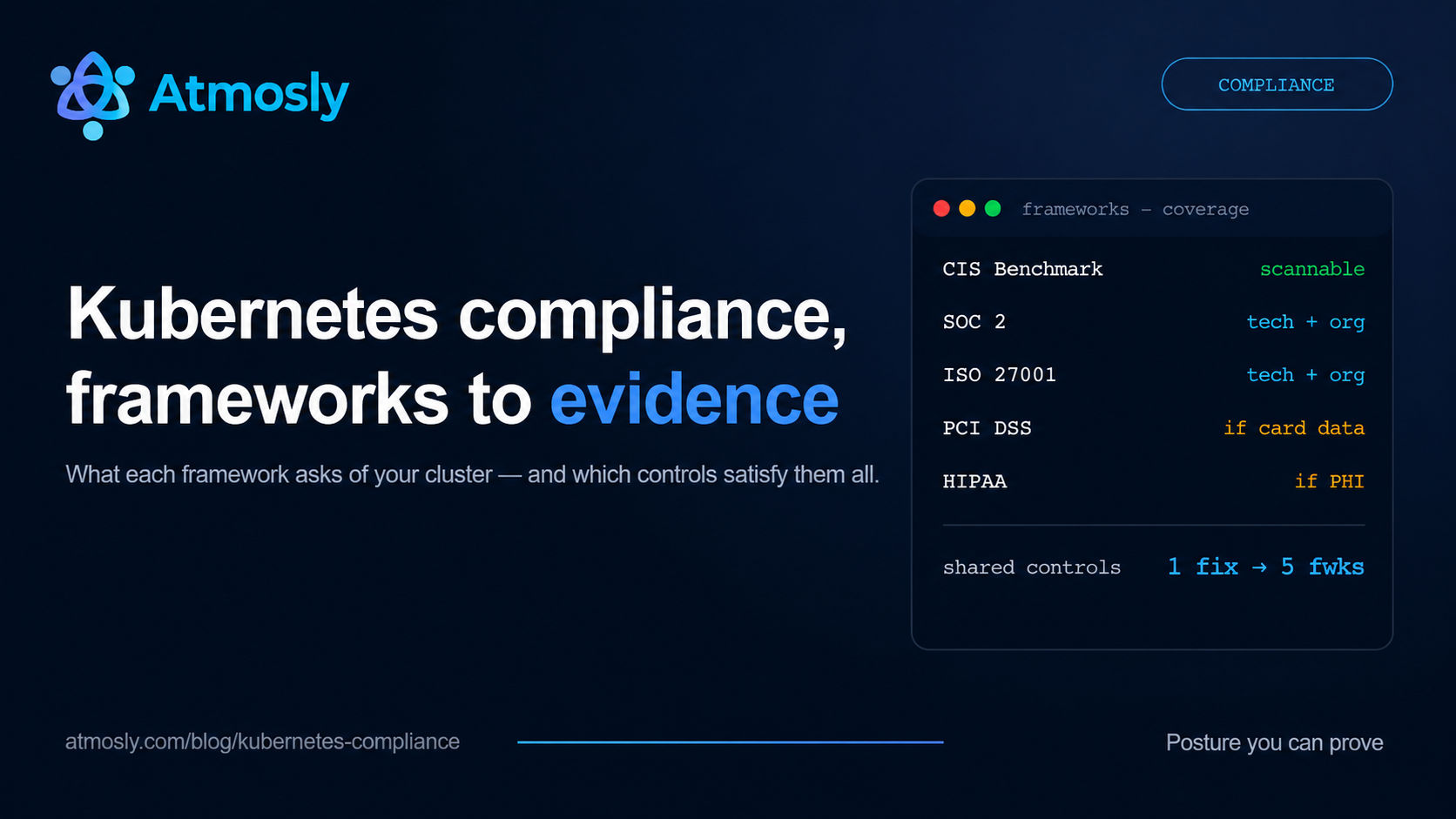
- Mapping findings to auditor-facing frameworks. How the same cluster evidence satisfies SOC 2 criteria and ISO 27001 Annex A controls is covered in our Kubernetes compliance guide.
Key takeaways
- First scores in the 60s–70s are normal. Kubernetes defaults optimise for workload startup, not containment — the benchmark exists precisely to close that gap.
- On managed Kubernetes, the Policies section is your battlefield. Control-plane and etcd checks belong to the provider; audit logging, RBAC, PSS, network policies, and service accounts belong to you.
- Four fixes move most first scans: enable control-plane audit logging, stop auto-mounting service account tokens, roll out default-deny NetworkPolicies, and enforce Pod Security Standards.
- Verify or it didn't happen. Run the check against the specific resource after each fix; the re-scan score is the only receipt that counts.
- Severity beats count. One privileged container outranks a hundred cosmetic findings — triage by what an attacker gains.
Running EKS? Request early access to SquareOps Verity for CIS Amazon EKS and CIS AWS Foundations checks across every connected cluster and account, findings ranked by real risk, and fixes tracked until a scan verifies them.