.png)
In the world of modern DevOps and cloud-native application development, two names often dominate the conversation: Docker and Kubernetes. Both have revolutionized the way we build, ship, and run applications — but their roles are fundamentally different.
As the platform engineering landscape evolves, understanding the Docker vs Kubernetes debate is essential for architects, developers, and ops teams alike. In this article, we'll explore their technical distinctions, real-world use cases, and how to take a real app from a Dockerfile to a Kubernetes Deployment.
What is Docker?
Docker is a containerization platform that enables developers to package applications and their dependencies into a portable, lightweight unit called a container. These containers can run anywhere — on a laptop, in the cloud, or in a data center without worrying about environment inconsistencies.
Key Technical Concepts in Docker:
- Dockerfile: A declarative script that defines the container image.
- Docker Image: A snapshot of a container that includes the app code, libraries, and environment.
- Docker Container: A running instance of a Docker image.
- Docker Engine: The core runtime that handles container execution.
- Docker Compose: A tool for defining and managing multi-container applications.
Ideal Use Cases for Docker:
- Local development and testing.
- CI/CD pipelines for consistent packaging.
- Simplifying app deployment across dev/stage/prod environments.
What is Kubernetes?
Kubernetes (or K8s) is a container orchestration platform designed to automate the deployment, scaling, and management of containerized applications. It doesn't replace Docker — instead, it complements it by helping you run Docker containers at scale.
Key Kubernetes Components:
- Pods: The smallest deployable unit in Kubernetes, which can contain one or more containers.
- Deployments: Declarative specs for maintaining a desired state for pods.
- Services: Persistent IPs and DNS entries for exposing workloads.
- ReplicaSets: Ensure a specified number of pod replicas are running.
- Ingress Controllers: Handle routing and traffic rules for external access.
- Helm Charts: Kubernetes package manager to deploy apps with pre-configured manifests.
Ideal Use Cases for Kubernetes:
- Large-scale microservices applications.
- Multi-tenant SaaS platforms.
- Auto-scaling and zero-downtime deployments.
- Enterprise-grade high availability and disaster recovery.
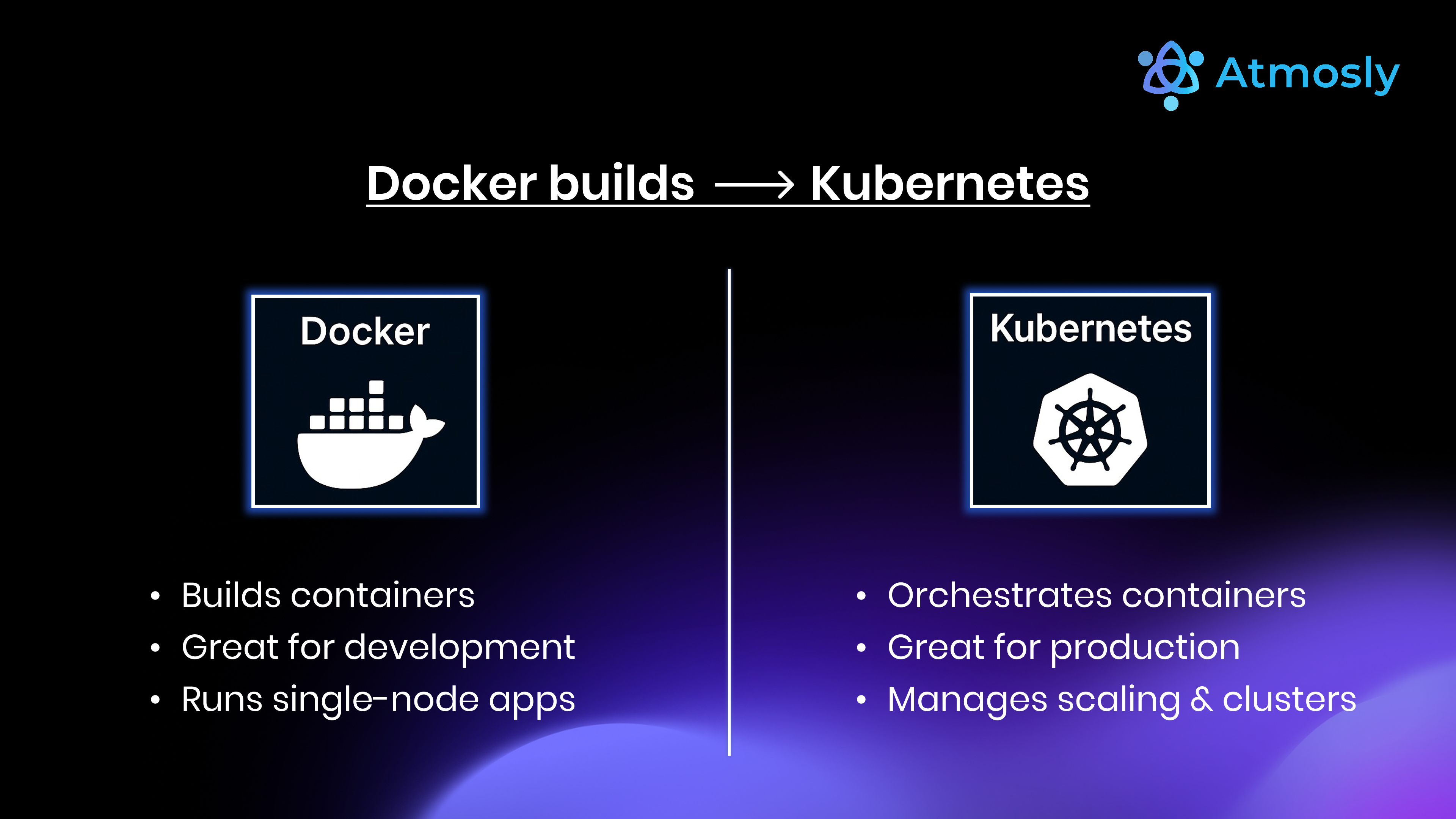
Docker vs Kubernetes: A Misleading Comparison?
Many people search for "Docker vs Kubernetes" expecting to find a direct competition or a definitive winner. In reality, this isn't an either-or scenario. The phrase "Docker vs Kubernetes" is somewhat misleading, because these technologies serve very different roles in the modern DevOps and cloud-native landscape.
Docker is all about packaging and running your applications as containers. Kubernetes, meanwhile, is designed to orchestrate and manage those containers at scale, across clusters of servers or cloud infrastructure.
In most real-world deployments, Docker and Kubernetes are actually used together, not in opposition. Developers use Docker to build and package container images, then Kubernetes takes over to deploy, scale, monitor, and manage those containers automatically. Kubernetes can work with Docker containers (as well as other container runtimes), making it a complementary part of the container ecosystem.
When evaluating Docker and Kubernetes for your DevOps pipeline or cloud-native platform, it's important to understand that:
- Docker focuses on creating and running containers.
- Kubernetes automates and orchestrates how those containers run in production, handling challenges like scaling, networking, rolling updates, and self-healing.
Instead of viewing Docker and Kubernetes as alternatives, think of them as building blocks that are more powerful when used together. This combination has become the industry standard for teams building scalable, portable, and resilient application infrastructures.
If your goal is efficient container management, adopting both Docker and Kubernetes can help you streamline development, deployment, and operations in any environment.
Docker vs Kubernetes: Detailed Comparison
| Feature | Docker | Kubernetes |
|---|---|---|
| Primary Purpose | Containerization platform for building and running containers | Container orchestration platform for managing clusters of containers |
| Scope | Manages containers on a single host or VM | Manages distributed containers across multiple hosts (cluster) |
| Complexity | Simple to install and use, low learning curve | Steep learning curve, complex setup and maintenance |
| Networking | Basic container networking with built-in support | Advanced networking, supports service discovery and internal DNS |
| Scaling | Manual scaling or with Docker Compose, Docker Swarm | Automated horizontal scaling, self-healing, rolling updates |
| Storage | Volumes, plugins for persistent storage | Persistent Volumes, dynamic provisioning, Container Storage Interface (CSI) |
| Ecosystem & Tools | Docker CLI, Docker Compose, Docker Hub | kubectl, Helm, Kustomize, ArgoCD, Operators, ecosystem integrations |
| Use Case | Best for development, testing, single-host deployments, and microservices prototyping | Best for production, high-availability, enterprise deployments, and large-scale orchestration |
| Upgrade & Rollback | Manual image upgrades and rollbacks | Supports automated rolling updates and easy rollbacks |
| Community & Support | Large community, extensive documentation | Very active community, enterprise support, cloud-native foundation |
Real-World Example: From Docker to Kubernetes
Let's walk through a real-world scenario:
You're developing a Python-based API using Flask, and you want to package and deploy it efficiently as your team grows and the application scales.
Step 1: Containerize with Docker
You need a reliable way to build and store your application. Start with a simple Dockerfile:
FROM python:3.10-slim

# Set the working directory
WORKDIR /app

# Install dependencies
COPY requirements.txt .
RUN pip install --no-cache-dir -r requirements.txt

# Copy application code
COPY . .

# Expose the default Flask port
EXPOSE 5000

# Start the app
CMD ["python", "app.py"]
Build the image with a version tag and push it to a registry (Docker Hub, ECR) so the cluster can pull it:
docker build -t your-dockerhub/flask-app:1.0 .
docker push your-dockerhub/flask-app:1.0
Step 2: Deploy to Kubernetes
Now you want to run your containerized app in a scalable, production-grade environment. Here's a sample Kubernetes deployment YAML:
apiVersion: apps/v1
kind: Deployment
metadata:
  name: flask-app
spec:
  replicas: 3
  selector:
    matchLabels:
      app: flask-app
  template:
    metadata:
      labels:
        app: flask-app
    spec:
      containers:
      - name: flask-container
        image: your-dockerhub/flask-app:1.0
        ports:
        - containerPort: 5000
Apply it and check that all three replicas come up:
kubectl apply -f deployment.yaml
kubectl get pods -l app=flask-app
To reach the app from outside the cluster you still need a Service in front of the pods, an Ingress rule for routing, a DNS record and a TLS certificate. Each one is another manifest or controller (an ingress controller, cert-manager) to install and keep up to date.
Step 3: Scale and Roll Out Updates
Once the Deployment is running, Kubernetes does what Docker alone cannot:
- Scale:
kubectl scale deployment flask-app --replicas=5, or add a HorizontalPodAutoscaler to scale on CPU. - Roll out: push a new image tag and update the Deployment; Kubernetes replaces pods gradually.
- Roll back:
kubectl rollout undo deployment/flask-appreturns to the previous version.
Conclusion:
In summary, Docker and Kubernetes serve distinct but complementary roles in your cloud-native journey. Docker is your development toolkit. Kubernetes is your production backbone.
If you want the Kubernetes half without hand-wiring pipelines and manifests, Atmosly, the SquareOps internal developer platform, gives you a visual Pipeline Builder, GitOps deployments with one-click rollback, preview environments and a Helm marketplace on EKS, GKE or AKS. Connect a cluster free.