Introduction: Kubernetes 1.34 - The AI/ML and Performance Release
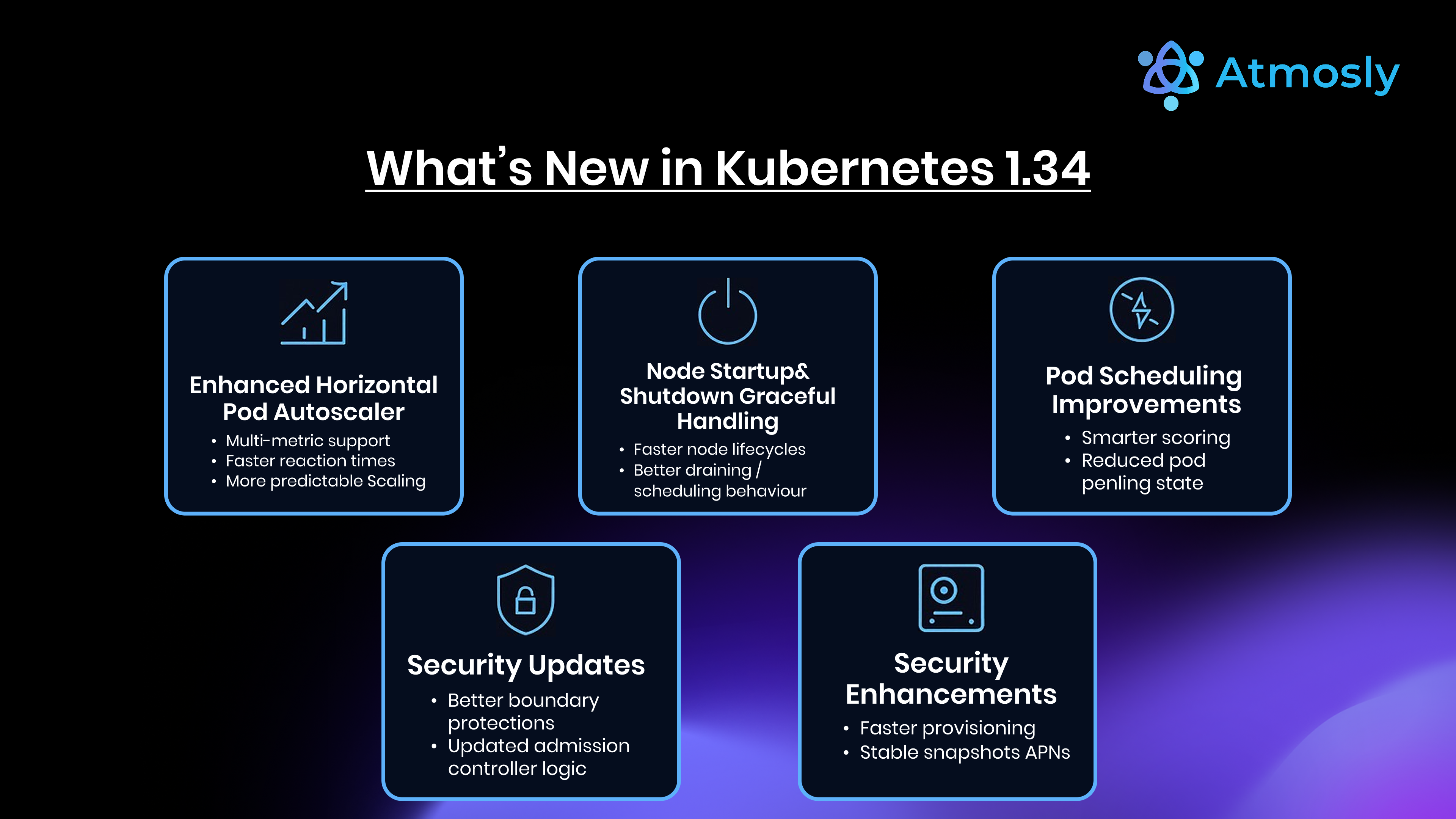
Kubernetes 1.34, released on August 27, 2025, is a significant update for AI/ML workloads, observability and API server performance. Three changes stand out: the core of Dynamic Resource Allocation (DRA) reaching General Availability for GPUs and other specialized hardware, kubelet and API server tracing graduating to stable, and snapshottable API server cache reads that let more list requests be served from memory instead of etcd.
The timing matters because of the growth of GPU-backed AI/ML workloads, the observability gaps that appear as clusters grow, and etcd load during large list operations. Before 1.34, GPU allocation relied on device plugins with limited flexibility, cluster-internal tracing was not yet stable, and large list requests at older resource versions still had to go to etcd.
This guide covers what platform engineers and DevOps teams need to know about Kubernetes 1.34: the major features (DRA, tracing, cache snapshots, KYAML, ServiceAccount tokens for image pulls, traffic distribution), how 1.34 compares with 1.33, the deprecations and breaking changes to check before you upgrade, a phased upgrade plan for production clusters, and the tooling that helps along the way.
Since this release: Kubernetes 1.35 and 1.36 have shipped, and 1.34 is nearing the end of upstream patch support. If you are planning an upgrade now, target a newer minor version — the deprecation checks and phased rollout in this guide apply to every upgrade path that passes through 1.34.
Top 3 Must-Know Features in Kubernetes 1.34
1. Dynamic Resource Allocation (DRA) Reaches General Availability
What It Solves: GPU management through device plugins exposes hardware as simple counted resources such as nvidia.com/gpu: 1. That makes it hard to express requirements like "a GPU with at least 40 GiB of memory", to share one device between pods, or to describe hardware in a vendor-neutral way.
How DRA Changes Things: DRA introduces a standard API for specialized hardware (GPUs, FPGAs, NICs, AI accelerators). Drivers publish the devices on each node with their attributes and capacity, cluster admins define DeviceClasses, and workloads ask for devices through ResourceClaims that the scheduler satisfies. In 1.34 the core of DRA is GA under resource.k8s.io/v1 and enabled by default:
apiVersion: resource.k8s.io/v1
kind: ResourceClaim
metadata:
  name: gpu-claim-training-job
  namespace: ml-workloads
spec:
  devices:
    requests:
    - name: gpu
      exactly:
        deviceClassName: gpu.example.com
        allocationMode: ExactCount
        count: 2
        selectors:
        - cel:
            # Attribute and capacity names are defined by the DRA driver
            expression: device.capacity["gpu.example.com"].memory.compareTo(quantity("40Gi")) >= 0
Key DRA Capabilities:
- Flexible Device Selection: CEL expressions select devices by the attributes and capacity a driver publishes, such as memory size, model or interconnect
- Scheduler-Aware Allocation: The scheduler only places a pod on a node where its claims can be satisfied, and devices are released when the claim is no longer in use
- Shared Claims: Several pods can reference the same ResourceClaim when they need to share a device; how the device is partitioned or time-sliced is up to the driver
- Vendor-Neutral API: Hardware vendors implement one DRA driver interface instead of each shipping a different device-plugin model
Migration Path: Device plugins keep working, so you can adopt DRA workload by workload once your hardware vendor ships a DRA driver:
# Old device plugin approach (still supported)
resources:
  limits:
    nvidia.com/gpu: 1
---
# New DRA approach: a template creates one claim per pod
apiVersion: resource.k8s.io/v1
kind: ResourceClaimTemplate
metadata:
  name: gpu-template
spec:
  spec:
    devices:
      requests:
      - name: gpu
        exactly:
          deviceClassName: gpu.example.com
---
apiVersion: v1
kind: Pod
metadata:
  name: trainer
spec:
  resourceClaims:
  - name: gpu
    resourceClaimTemplateName: gpu-template
  containers:
  - name: trainer
    image: registry.example.com/trainer:latest
    resources:
      claims:
      - name: gpu
Who Should Adopt DRA First:
- AI/ML teams running training jobs that need specific GPU models or memory sizes
- Organizations with a mixed GPU inventory that need flexible scheduling
- Multi-tenant ML platforms sharing GPU resources across teams
- Teams whose hardware vendor already ships a DRA driver
2. Stable Distributed Tracing for Kubelet and API Server
What It Solves: Debugging cluster behaviour used to mean correlating logs across the API server, admission webhooks, scheduler and kubelets with no unified view of a request. Questions like "why did this pod take 3 minutes to start?" took a long manual investigation.
How Tracing Changes Observability: In 1.34, OpenTelemetry tracing for the API server and the kubelet graduates to stable. Both export spans over OTLP, so a trace can follow a request from the API server through admission and etcd, and the kubelet's work on the node (sandbox creation, image pull, container start) shows up as spans too.
Example: Pod Startup Trace (illustrative)
# Illustrative trace showing a pod startup with timing
Trace ID: 7a3f8c2e1b4d9a0f
Total Duration: 2847ms
Spans:
+- API Server: CreatePod Request (12ms)
|  +- Admission: MutatingWebhook (28ms)
|  +- Admission: ValidatingWebhook (45ms)
|  +- etcd: Write Pod Object (89ms)
|
+- Kubelet: Start Pod on Node (2450ms)
   +- Image Pull: ghcr.io/company/api:v2.4.0 (1840ms)  <- BOTTLENECK
   +- Create Container (245ms)
   +- Start Container (320ms)
What a Trace Like This Tells You:
- The image pull dominates startup time, so image pre-pulling, smaller images or a local registry cache would help most
- Slow admission webhooks show up as their own spans instead of as unexplained API latency
- Every operation is timestamped with parent-child relationships
Enabling Tracing:
# kube-apiserver flag: --tracing-config-file=/etc/kubernetes/tracing-config.yaml
# /etc/kubernetes/tracing-config.yaml
apiVersion: apiserver.config.k8s.io/v1beta1
kind: TracingConfiguration
endpoint: otel-collector.monitoring.svc.cluster.local:4317
samplingRatePerMillion: 100000  # 10% sampling
---
# Kubelet configuration
apiVersion: kubelet.config.k8s.io/v1beta1
kind: KubeletConfiguration
tracing:
  endpoint: otel-collector.monitoring.svc.cluster.local:4317
  samplingRatePerMillion: 50000  # 5% sampling
Real-World Use Cases:
| Problem | Without Tracing | With Tracing |
|---|---|---|
| Slow pod startup | Manual log analysis across API server and node | One trace shows which step took the time |
| API server latency spike | Guess: etcd? admission webhooks? load? | Spans show where the time went |
| Image pull problems | Check kubelet logs node by node | Kubelet spans show image pull duration |
Integration with Your Observability Stack:
# Deploy an OpenTelemetry Collector that forwards traces to Tempo
helm repo add open-telemetry https://open-telemetry.github.io/opentelemetry-helm-charts
helm install otel-collector open-telemetry/opentelemetry-collector \
  --namespace monitoring \
  --set mode=deployment \
  --set image.repository=otel/opentelemetry-collector-k8s
# Configure an OTLP exporter pointing at tempo.monitoring:4317 in the chart values,
# then view traces in Grafana: Explore → Tempo → search by trace ID or duration
3. Snapshottable API Server Cache
What It Solves: In large clusters, list requests (kubectl get pods --all-namespaces, controller resyncs, paginated lists) put heavy load on etcd and the API server. Earlier releases already let consistent lists be served from the API server's watch cache, but lists at an older resource version — including the continuation pages of a paginated list — still went to etcd.
How It Works: With the ListFromCacheSnapshot feature (beta and enabled by default in 1.34), the API server keeps snapshots of its watch cache at recent resource versions and serves those list requests from memory:
- Watch Cache: The API server already keeps an in-memory copy of resources, updated through watches on etcd
- Snapshots: It now retains snapshots of that cache at specific resource versions
- Reads from Memory: List requests for a resource version that a snapshot covers are answered from the snapshot instead of etcd
- Writes Unchanged: Writes still go to etcd, and the cache is updated through the watch
- Trade-off: Keeping snapshots uses more API server memory, so watch memory on large clusters after upgrading
Validating the Effect: Compare list latency (apiserver_request_duration_seconds{verb="LIST"}) and etcd request rates before and after the upgrade. Gains are largest on clusters with many objects and many controllers doing paginated lists.
Who Benefits Most:
- Clusters with thousands of pods or other objects experiencing slow list operations
- Multi-tenant environments with many controllers performing frequent list/watch
- Clusters where etcd is the bottleneck during read-heavy periods
- GitOps-heavy environments (Argo CD, Flux) that list resources frequently
Additional Notable Features in Kubernetes 1.34
4. KYAML: A Safer YAML Output Format for kubectl
Kubernetes 1.34 introduces KYAML (alpha) — a strict, Kubernetes-flavoured subset of YAML that kubectl can emit. KYAML is still valid YAML, so existing tools can read it, but it avoids the parts of YAML that cause surprises:
- Whitespace Sensitivity: KYAML uses flow style with braces and brackets, so indentation mistakes cannot change the structure
- Type Coercion: Strings are always double-quoted, so values like
no,onor1.34are never silently turned into booleans or numbers - Copy-Paste Safety: Trailing commas and comments are allowed, which makes hand edits and diffs less error-prone
{
  apiVersion: "v1",
  kind: "Service",
  metadata: {
    name: "payment-api",
  },
  spec: {
    ports: [{
      port: 80,
      targetPort: 8080,
    }],
  },
}
Trying It: In 1.34 KYAML output is opt-in: set KUBECTL_KYAML=true and use kubectl get <resource> -o kyaml. Because it is valid YAML, you can apply KYAML files with kubectl apply -f like any other manifest.
5. ServiceAccount Tokens for Kubelet Image Credential Providers (Beta)
Security Enhancement: Kubernetes 1.34 promotes to beta the ability for kubelet credential provider plugins to receive a short-lived, audience-bound ServiceAccount token for the pod being started, so a registry can authenticate workloads through workload identity instead of long-lived image pull secrets.
Old Approach (imagePullSecrets):
# Long-lived credential stored as a Secret
apiVersion: v1
kind: Secret
metadata:
  name: registry-credentials
type: kubernetes.io/dockerconfigjson
data:
  .dockerconfigjson: <base64-encoded docker config>
# Problem: valid until someone rotates it by hand
New Approach: The credential provider plugin is configured in the kubelet's CredentialProviderConfig with tokenAttributes (including the token audience). For each image pull the kubelet requests a ServiceAccount token for the pod's service account and passes it to the plugin, which exchanges it for registry credentials.
Security Benefits:
- No long-lived registry secrets stored in the cluster
- Credentials are scoped to the pod's service account rather than shared across a namespace
- Short-lived tokens shrink the window in which a leaked credential is useful
6. Traffic Distribution Preferences (PreferSameZone, PreferSameNode)
Kubernetes 1.34 adds PreferSameZone and PreferSameNode values for a Service's trafficDistribution field:
apiVersion: v1
kind: Service
metadata:
  name: payment-api
spec:
  selector:
    app: payment-api
  ports:
  - port: 80
    targetPort: 8080
  trafficDistribution: PreferSameZone  # Prefer endpoints in the client's zone
Options:
PreferSameZone: Route to endpoints in the same availability zone when available (the olderPreferClosevalue means the same thing)PreferSameNode: Route to endpoints on the same node when available- Field omitted: default behaviour, distribute across all ready endpoints
Keeping traffic in-zone cuts cross-AZ data transfer charges (on AWS, $0.01/GB in each direction) and usually latency, as long as each zone has enough healthy endpoints.
Kubernetes 1.34 vs 1.33: Key Differences
Feature Maturity Comparison
| Feature | Kubernetes 1.33 (Apr 2025) | Kubernetes 1.34 (Aug 2025) | Impact |
|---|---|---|---|
| Dynamic Resource Allocation (core) | Beta | GA (resource.k8s.io/v1) | AI/ML teams can adopt on a stable API |
| API Server and Kubelet Tracing | Beta | Stable | Tracing on a stable configuration |
| Snapshottable API Server Cache | Not available | Beta (enabled by default) | More list requests served from memory |
| KYAML output | Not available | Alpha (opt-in) | Safer, unambiguous manifests |
| ServiceAccount Tokens for Image Pulls | Alpha | Beta | Image pulls without long-lived secrets |
Breaking Changes and Deprecations to Check Before 1.34
Critical Items
1. AppArmor Annotations → securityContext Field
# DEPRECATED: AppArmor annotation
metadata:
  annotations:
    container.apparmor.security.beta.kubernetes.io/nginx: runtime/default
---
# USE INSTEAD: the appArmorProfile field (GA since Kubernetes 1.30)
spec:
  securityContext:
    appArmorProfile:
      type: RuntimeDefault
The annotations have been deprecated since AppArmor support went GA in 1.30. Move workloads to securityContext.appArmorProfile now rather than waiting for the annotations to be removed.
2. VolumeAttributesClass API Graduation (storage.k8s.io/v1)
# OLD: Beta API
apiVersion: storage.k8s.io/v1beta1
kind: VolumeAttributesClass
---
# NEW: Stable API (1.34+)
apiVersion: storage.k8s.io/v1
kind: VolumeAttributesClass
3. Legacy ServiceAccount Token Secrets (Not New, Still Worth Checking)
Automatic creation of long-lived token Secrets for ServiceAccounts stopped in Kubernetes 1.24, and unused auto-generated legacy tokens are cleaned up in recent releases. If you are upgrading an older cluster, make sure nothing still depends on those Secrets and request short-lived tokens instead:
# Request a short-lived token for a ServiceAccount
kubectl create token my-sa --duration=1h
Upgrade Guide: Migrating to Kubernetes 1.34
Pre-Upgrade Checklist
Step 1: Review Deprecation Warnings (1-2 Weeks Before Upgrade)
# Check for deprecated API usage in the running cluster
kubectl get --raw /metrics | grep apiserver_requested_deprecated_apis
# Scan manifests and Helm charts for deprecated APIs
pluto detect-files -d . --target-versions k8s=v1.34.0
# Scan the live cluster with kubent
kubent --target-version 1.34.0
# Find pods still using AppArmor annotations
kubectl get pods --all-namespaces -o json | \
  jq -r '.items[] | select((.metadata.annotations // {}) | keys | any(startswith("container.apparmor.security.beta.kubernetes.io"))) | .metadata.namespace + "/" + .metadata.name'
Step 2: Test in a Staging Environment (1 Week Before Production)
# Upgrade the staging cluster to 1.34
# Run for 3-7 days, watching:
# - Application compatibility
# - Controller behaviour and reconcile errors
# - API server list latency and memory
# - etcd load
Step 3: Upgrade Production (Phased Rollout)
# Phase 1: Upgrade the control plane (API server, scheduler, controller manager)
# Phase 2: Upgrade worker nodes (rolling, node pool by node pool)
#          Pods are rescheduled as nodes drain
# Phase 3: Adopt new features (DRA, tracing) after validation
#          Opt-in, no impact until you use them
Managed Kubernetes Availability
Managed services (Amazon EKS, Google GKE, Azure AKS) rolled 1.34 out in the months after the upstream release, and each has its own release channels and auto-upgrade policy. Check your provider's version calendar for current availability and end-of-support dates; self-managed clusters can upgrade with kubeadm, kOps or their distribution's tooling.
Post-Upgrade Validation
# Verify control plane and client versions
kubectl version
# Check all nodes upgraded
kubectl get nodes -o wide
# Check control plane and system pod resource usage
kubectl top pods -n kube-system
# Verify no deprecated API calls remain
kubectl get --raw /metrics | grep apiserver_requested_deprecated_apis
# Test DRA (if you use a DRA driver)
kubectl apply -f gpu-resourceclaim-test.yaml
Cost and Performance Considerations
DRA can raise GPU utilization by letting workloads ask for the right device and share claims where the driver supports it, and the snapshottable cache can lower etcd and API server load on list-heavy clusters. How much either saves depends entirely on your workloads, so measure before and after rather than budgeting on someone else's numbers.
Tooling That Helps Teams Adopt Kubernetes 1.34
- Pre-Upgrade Analysis: pluto and kubent scan manifests, Helm releases and live clusters for deprecated APIs before you upgrade.
- GPU Utilization Tracking: After enabling DRA, compare GPU utilization before and after in your monitoring stack (for example NVIDIA DCGM exporter metrics in Prometheus).
- Cost Impact Visibility: SpendZero allocates node cost to namespaces and teams and tracks verified savings over time, so the cost effect of the upgrade shows up per team.
- Performance Monitoring: Track
apiserver_request_duration_secondsand controller workqueue metrics in Prometheus before and after the upgrade. - Rightsizing Post-Upgrade: SpendZero compares CPU and memory requests with 14-day p95 usage per container and recommends new values with safe headroom.
Who Should Upgrade to Kubernetes 1.34 First
High-Priority Upgrade Candidates
1. AI/ML Teams with GPU Workloads
- Running training jobs that need specific GPU models or memory sizes
- Seeing low GPU utilization from static device-plugin allocation
- Managing a mixed GPU inventory
- Benefit: A stable DRA API for requesting and sharing devices
2. Large-Scale Clusters
- Slow
kubectl getand controller list operations - Controllers timing out during list/watch
- etcd consistently under heavy read load
- Benefit: More list requests served from API server memory
3. Platform Teams Needing Better Observability
- Spending hours on pod startup delays
- No visibility into where API server latency comes from
- Benefit: Stable end-to-end tracing for the API server and kubelet
Teams That Can Wait
- Small clusters not hitting performance limits
- No GPU or specialized hardware requirements
- Existing observability stack meeting needs
- Comfortable waiting for the managed provider's upgrade window
Conclusion: Kubernetes 1.34 Marks a Major Platform Evolution
Kubernetes 1.34 brings three important capabilities: Dynamic Resource Allocation reaching GA, giving AI/ML workloads a stable API for requesting and sharing hardware; stable distributed tracing for the API server and kubelet; and the snapshottable API server cache, which serves more list requests from memory instead of etcd.
Teams running AI/ML workloads gain the most from DRA, while large multi-tenant platforms benefit from the cache and tracing changes. Managed Kubernetes services rolled out 1.34 in the months after its August 2025 release; self-managed clusters can follow the phased rollout above: test in staging, upgrade the control plane, roll the nodes, then enable new features progressively.
Critical action items before upgrading: move AppArmor annotations to securityContext.appArmorProfile, update VolumeAttributesClass manifests from v1beta1 to v1, confirm nothing depends on legacy auto-generated ServiceAccount token Secrets, scan for deprecated APIs with pluto or kubent, and test application compatibility in staging for 3-7 days before production.
Upgrading several clusters? Try Atmosly to provision and import EKS, GKE and AKS clusters through guardrails, with version-pinned add-ons and one audit trail. For post-upgrade cost tracking and continuous workload rightsizing, start a free SpendZero scan — read-only, no agents.
Questions about Kubernetes 1.34 migration? Schedule a consultation with our platform engineering team to review your upgrade strategy, identify which 1.34 features provide most value for your workloads, and develop a phased rollout plan that minimizes risk.