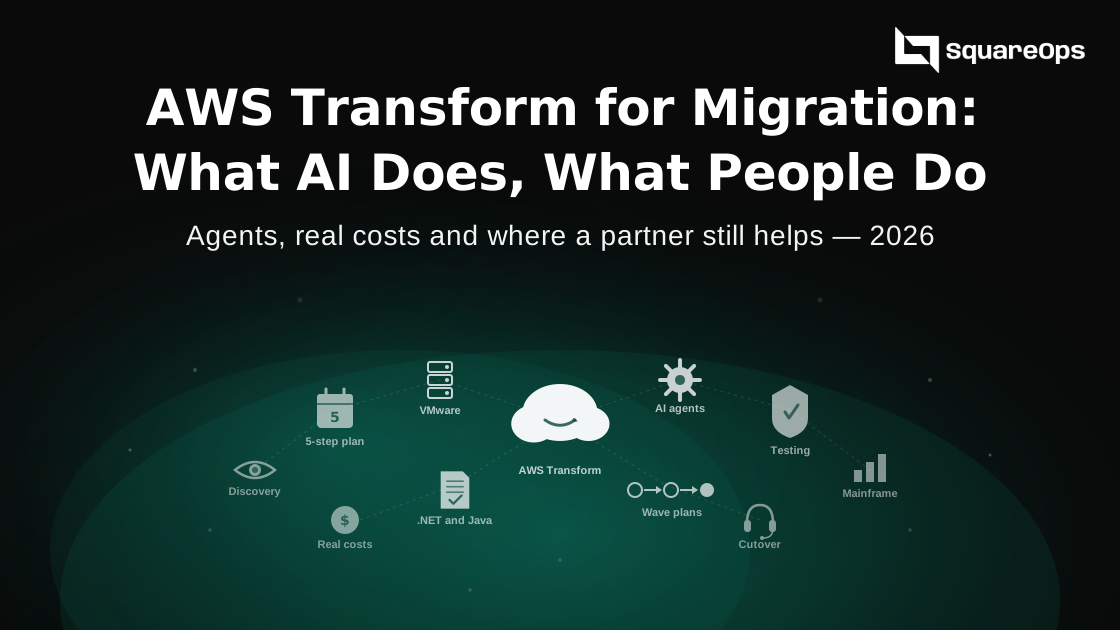
AWS Transform is AWS's AI service for migration and modernization. It plans VMware moves, converts .NET and mainframe code, and upgrades Java, Python and Node.js. Most of its agents are free, and custom work costs $0.035 per agent minute. It speeds up the planning and the code changes. It does not decide what to move, prove your business logic still works, run the cutover or operate your systems afterwards. That is still work for your team or a partner.
Picture a company with 300 VMware VMs and a dozen older .NET apps. Its CTO watches an AWS demo where an AI agent builds a migration plan in minutes. The board then asks a fair question. If AI does the migration now, why are we paying a partner? This guide explains what AWS Transform really does, what it costs and where people still matter.
A note before you read. SquareOps sells cloud migration services, so we have an interest in this topic. We also explain when you can use AWS Transform without a partner.
What AWS Transform Is
AWS Transform uses AI agents to do the slow, repetitive parts of migration and modernization. Here is how it got to where it is today.
- Preview, December 2024. The first features appeared at re:Invent 2024 as part of Amazon Q Developer.
- General availability, 15 May 2025. AWS Transform launched as its own service, with agents for VMware, mainframe and .NET.
- 2025 to 2026. AWS added full-stack Windows modernization, custom transformations and continuous modernization across your code repositories.
- 2026. You can now start transformations from coding tools such as Kiro, Claude, Cursor and Codex. In June, AWS added assessments for moving AI apps from other model providers to Amazon Bedrock.
AWS says customers have used it to analyse about 15 billion lines of code. AWS also says it keeps teams in control with human review at each step. That last point matters more than the demos suggest.
What Each Agent Does and What It Costs
| Agent | What it automates | Price |
|---|---|---|
| Assessment | Scans your estate or code and builds a plan | Free |
| VMware migration | Finds VMs, maps dependencies, plans waves and converts network setup | Free |
| Windows and .NET | Ports .NET Framework apps to modern .NET on Linux, plus UI and SQL Server work | Free, up to 50,000 agent minutes a month for managed .NET |
| Mainframe | Analyses COBOL, extracts business rules and helps rewrite code | Free |
| Custom transformation | Java, Python and Node.js upgrades, plus your own code changes | $0.035 per agent minute |
| Continuous modernization | Finds and fixes outdated libraries across your repositories | $0.035 per agent minute |
The paid agents are cheap for small jobs. AWS's own examples put a Java version upgrade of about 17,000 lines at roughly $2.52. Note that AWS says future features may be paid, so check the pricing page before you plan a large project.
The Costs Around the Tool
AWS Transform itself is rarely the big number. These are the costs that are.
- Copying your servers. AWS Application Migration Service copies VMs to AWS. It is free for 90 days per server. After that, AWS charges by the hour, and you pay for the EC2 and EBS it uses while copying.
- Running both sides. For weeks or months you pay for your old setup and your new AWS setup at the same time.
- Checking the AI's work. Someone has to review the converted code and test it. On .NET and mainframe projects, this is often the biggest hidden cost.
- Licences. Windows and SQL Server licences still need a plan. Moving .NET to Linux can remove some of them.
- Running it afterwards. Monitoring, backups, security and on-call do not come with the tool.
Our cloud migration cost estimation framework shows how to build the full number line by line.
What the AI Does Well
Credit where it is due. These are the jobs where AWS Transform saves real time.
- Discovery and dependency maps. Working out which servers talk to which is slow by hand. The agent does it fast.
- Wave plans. It groups servers into sensible migration waves. AWS says customer CSL planned its VMware waves 10 times faster.
- Network conversion. It turns VMware network setups into AWS networking, which used to take days of careful work.
- Routine code upgrades. Moving Java, Python or .NET to a newer version is repetitive work that suits an agent well.
- Documenting old code. For mainframes, it explains what COBOL programs do, which helps teams where the original authors left long ago.
What Still Needs People
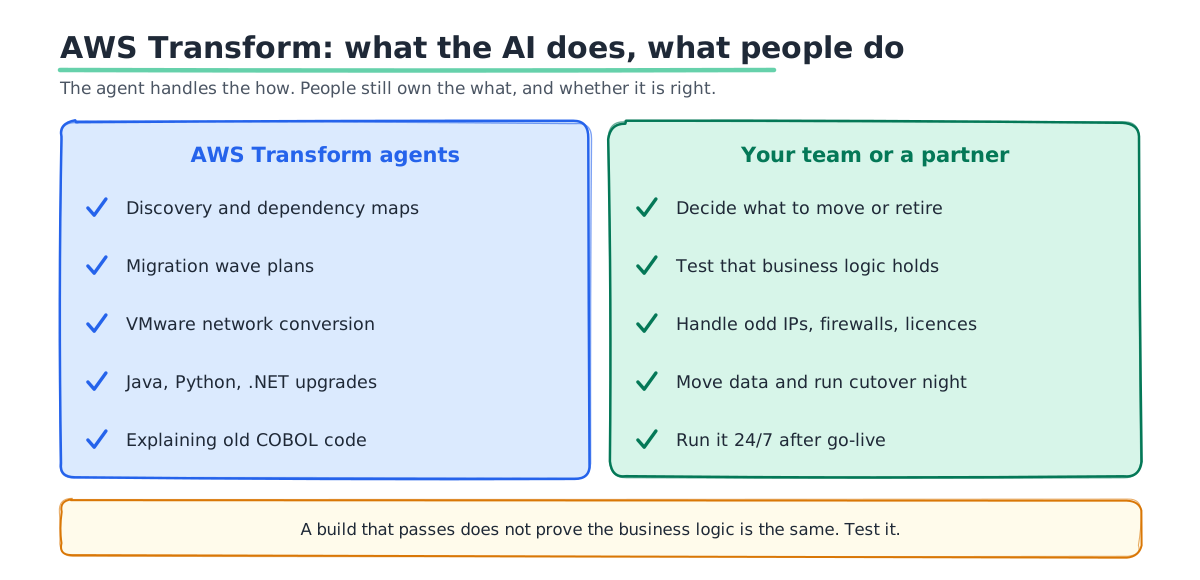
The tool handles the "how". People still own the "what" and the "is it right?"
- Deciding what to move. Which apps to retire, rehost, rebuild or leave alone is a business call. The agent can suggest. It cannot weigh your contracts, deadlines and plans.
- Proving the code still works. A build that passes does not prove the business logic is the same. You need tests, and often new tests.
- The odd parts of your estate. Hard-coded IPs, firewall rules, old appliances and licence terms trip up any automated plan.
- Moving the data. Database cutover, sync and rollback plans still need careful hands.
- Cutover night. Someone has to run the change, watch it and decide whether to roll back.
- Day two and beyond. AWS Transform stops at migration. It does not set up CI/CD, monitoring or on-call for the new setup.
Do You Need a Partner?
Not always. AWS Transform makes small, simple migrations much more doable in-house.
You can likely go alone if:
- Your estate is small and standard, such as a few dozen Linux or Windows servers.
- Your team already knows AWS networking, IAM and security.
- You have no hard deadline, such as a licence renewal or a data centre lease ending.
A partner helps when:
- You have hundreds of VMs, a mainframe or many old .NET apps.
- A renewal or lease date sets the deadline.
- You work in a regulated industry and need audit-ready evidence.
- You want the new setup run 24/7 after go-live, not just moved.
AWS also runs funding programs, such as the Migration Acceleration Program, for eligible migrations delivered with a partner. Ask about these before you start. They can offset part of the cost.
A Practical Plan Using AWS Transform
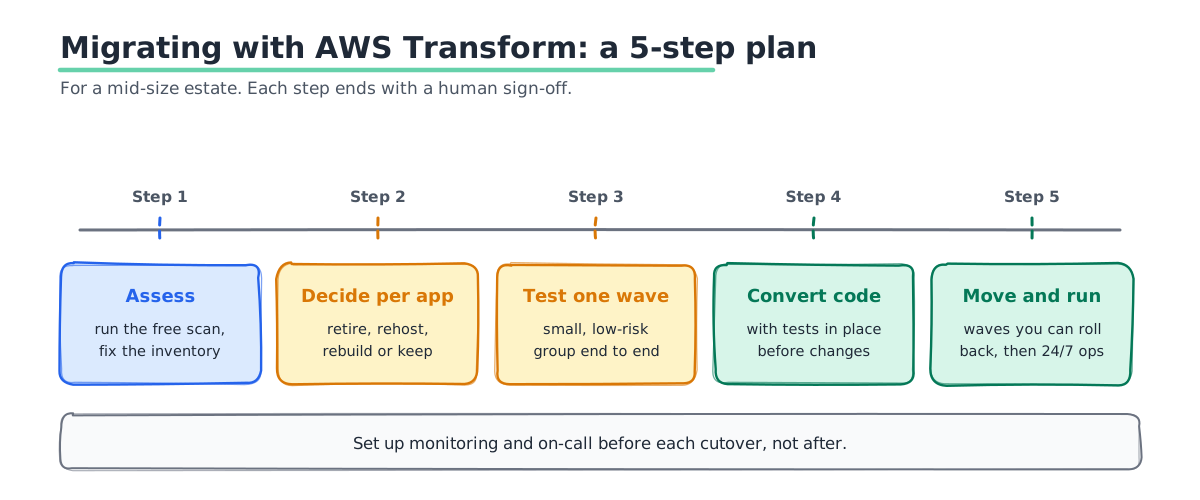
This is the order we would follow for a mid-size estate.
- Assess first. Run the free assessment. Fix the inventory where it is wrong, because it will be wrong somewhere.
- Decide per app. Mark each app as retire, rehost, rebuild or keep. Do this with the business, not just IT.
- Test one wave. Move one small, low-risk group from start to finish. Measure how long each step really takes.
- Convert code with tests in place. Write or expand tests before the agent changes the code, so you can prove nothing broke.
- Move in waves, then run. Migrate the rest in groups small enough to roll back. Set up monitoring and on-call before each cutover, not after.
For the server copying step, our guide to AWS Application Migration Service explains how it works.
Questions to Ask Any Migration Partner
If you do bring in a partner, AI should lower the cost of the plan, not just raise their margin. Ask these before you sign.
- Which parts will you run through AWS Transform? A good partner can name the steps the agent will do and the steps people will do.
- How do you check the AI's output? Ask how they test converted code and who signs it off.
- What does that save me? If the agent does the discovery and wave plans, those days should not be on your quote.
- Who runs cutover night? Get names, the rollback plan and the time zone.
- What happens after go-live? Ask who watches the new setup and how fast they respond when something breaks.
- Which funding can we claim? Ask which AWS programs apply and who does the paperwork.
Mistakes We See
- Treating the demo as the project. The plan comes fast. Testing, data and cutover still take weeks.
- Skipping tests on converted code. If you cannot prove the logic is the same, you cannot go live safely.
- Moving everything as-is. Every estate has servers nobody uses. Retire them instead of paying to move them.
- Forgetting day two. A migrated app with no monitoring is a future outage.
- Ignoring funding. Check AWS programs before you start. They are much harder to claim afterwards.
How SquareOps Can Help
SquareOps is an AWS Advanced Consulting Partner with the AWS DevOps and Cloud Operations Competencies. We plan and run migrations to AWS and take on the parts AI does not cover: the decisions, the testing, the cutover and 24/7 operations afterwards. We use AWS Transform in our own work too. We recently used it to assess a client's GPU and application workloads for migration to AWS. For example, we moved Indiagold's lending workloads from Google Cloud to AWS.
Plan a Migration That Uses the AI Well
Tell us what you run today and when it has to move. We will show you which parts AWS Transform can speed up, which parts need people, and what the whole move is likely to cost. Talk to our cloud migration team, or read more about our cloud migration services.