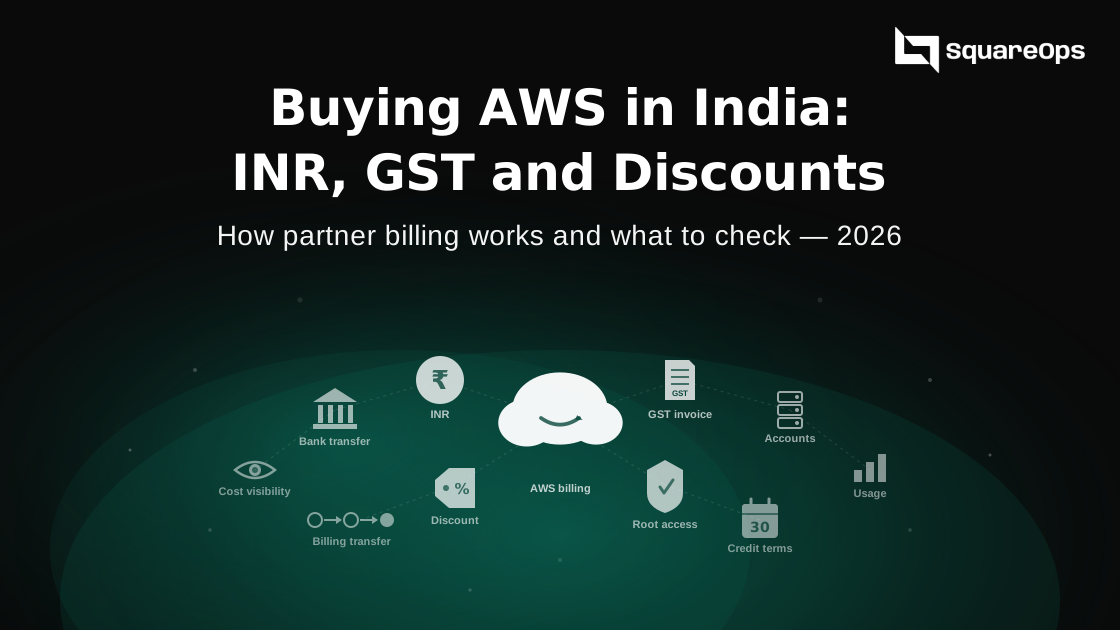
Indian companies can pay for AWS in three ways: direct to AWS India in rupees, to AWS Inc in dollars, or through an AWS partner who invoices them in rupees. Buying through a partner does not change the AWS services you use. It changes who sends the invoice, how you pay it, and whether you get a discount and someone to call. This guide explains how each route works and what to check before you sign. It also shows exactly what SquareOps offers: up to 10% off, or up to 15% for bills of $50,000 a month or more, on top of your Savings Plans.
Picture a SaaS company in Pune that spends about ₹6 lakh a month on AWS. Its card auto-pay stops working because the bill is above the ₹15,000 limit for card mandates. Every month someone in finance has to log in, approve a net banking payment and chase the GST invoice. One late payment later, they start asking about partner billing.
A note before you read. SquareOps is an AWS partner that resells AWS billing in India. We have an interest in this topic. So we also explain when you do not need a partner at all.
Three Ways to Pay for AWS From India
Which company bills you depends on your account's address and how you buy. The table shows the three routes side by side.
| AWS India direct | AWS Inc direct | Through an AWS partner | |
|---|---|---|---|
| Who invoices you | Amazon Web Services India Private Limited (AWS India) | Amazon Web Services, Inc. (US) | The partner, an Indian company |
| Currency | INR | USD | INR |
| GST | 18% on the invoice. Add your GSTIN to claim input credit. | 18% IGST unless you add your GSTIN in Tax Settings | 18% on the partner's invoice |
| How you pay | Card, net banking or UPI. Card auto-pay only up to ₹15,000 a bill. | Card or bank transfer in USD | Bank transfer against an invoice |
| Discount | Public prices, plus Savings Plans and credits | Same | Possible, agreed with the partner |
| Who helps with billing | AWS Support | AWS Support | The partner, plus AWS |
For most Indian businesses today, the direct route means AWS India. AWS says accounts with an India contact or billing address have their user agreement with AWS India, which also handles billing. Some older accounts, or accounts with a billing address outside India, are still billed by AWS Inc in dollars.
Why Indian Companies Move to Partner Billing
The reasons are mostly about payment and paperwork, not technology.
- Card auto-pay stops at ₹15,000. AWS India supports automatic card payments only for bills up to ₹15,000. Bigger bills must be paid by hand each month. UPI AutoPay is another option, but many finance teams prefer a normal invoice.
- Net banking needs approval every time. AWS says you are sent to your bank to approve each net banking payment. You cannot set it to run on its own.
- One clean GST invoice. A partner sends one invoice from an Indian company, with your GSTIN on it. Your accounts team can match it the same way as any other vendor bill.
- Credit terms. With a partner you usually pay after the invoice, on terms you agree. That is easier than a card charge on a fixed date.
- A possible discount. Partners earn benefits from AWS programs and may share part of that with you. This is not guaranteed. It depends on your spend and the partner.
- A person to call. A good partner answers billing questions and often reviews your costs too.
How Partner Billing Works
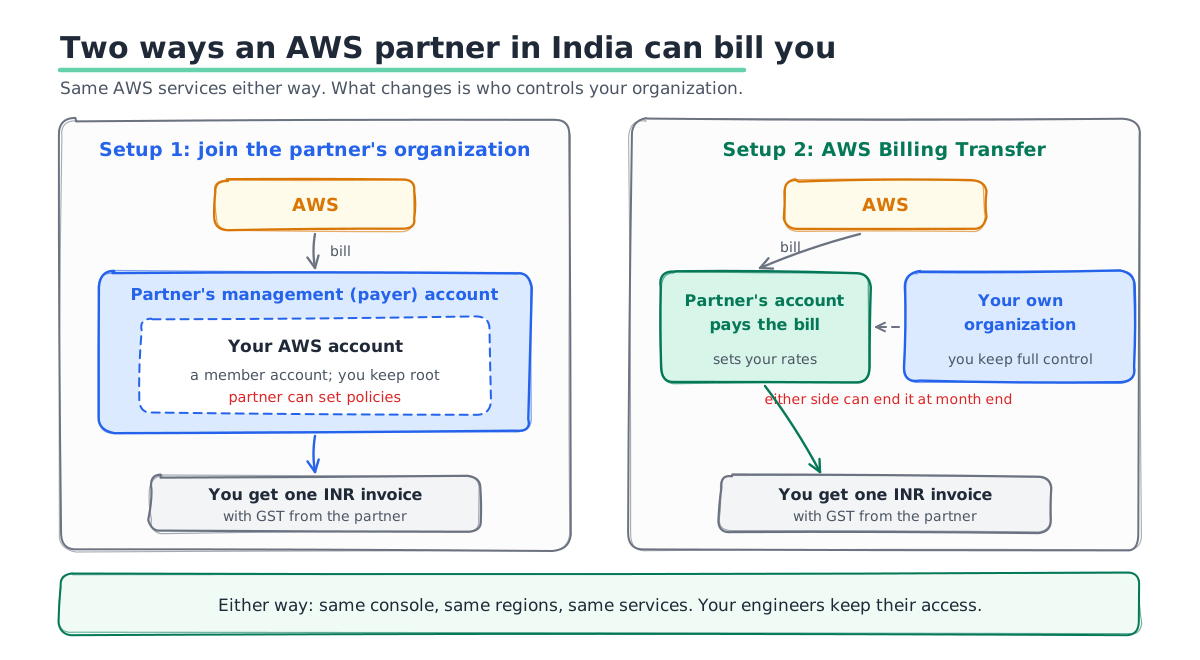
There are two common setups. Both leave the AWS services untouched. They differ in who controls your AWS organization.
Setup 1: Your account joins the partner's organization
Your AWS account becomes a member account under the partner's management account, often called the payer account. AWS bills the partner. The partner bills you in rupees. You keep full use of your own account, including the root login.
The trade-off is control. A management account can apply policies across its member accounts. Ask the partner which policies they apply, and how you leave if you want to.
Setup 2: AWS Billing Transfer
AWS launched Billing Transfer in November 2025, and channel partners can now resell with it. You keep your own AWS organization and your own management account. The partner takes over paying the bill. You see your costs at the rates the partner sets, through AWS Billing Conductor.
Either side can end a billing transfer at any time. It stops at the end of the current or the next month. There are gaps to know about. Your old cost and usage reports stop being available after the switch. Cost Anomaly Detection is not supported on your side. Credits and support charges do not show by default.
What Changes and What Does Not
Teams worry that a partner will slow things down or limit what they can use. In practice, very little changes on the technical side.
- Services and regions stay the same. You use the same AWS console, the same regions and the same services.
- Your engineers keep their access. IAM users, roles and SSO stay as they are.
- Savings Plans and Reserved Instances still work. A good partner's discount comes on top of them, not instead of them. Ask how they are shared. In a partner's organization, sharing rules matter. Under Billing Transfer, they still apply within your own organization.
- Credits need a check. Confirm any AWS credits you hold still apply and still show on your bill. Our guide to AWS startup credits and who qualifies covers the credit side in more detail.
- Who you pay changes. You stop paying AWS and start paying the partner. Late payment now affects your partner relationship, so agree the terms in writing.
What Discount Should You Expect?
AWS does not publish a rate card for partner discounts, so each partner sets its own. Most base the discount on three things.
- Your monthly spend. Larger and steadier bills get better terms.
- What you use. Some services and some purchases, like AWS Marketplace, may not carry a discount.
- Your commitments. Savings Plans already cut your bill. Ask whether the partner discount comes on top of them or eats into their saving.
How SquareOps prices its discount
We share our range up front, so you can compare it with any other quote you get.
| Average monthly AWS bill | SquareOps discount |
|---|---|
| Below $50,000 | Up to 10%, based on your bill and the services you use |
| $50,000 or more | Up to 15% |
Two points explain how it works.
- It comes on top of your Reserved Instances and Savings Plans. Your commitments keep working exactly as before and keep their full saving. Our discount is extra. It does not replace them or reduce them.
- Your services shape the rate. The exact figure depends on your average bill and the AWS services you use. Your written quote shows which lines carry the discount.
Here is a simple example. Say your AWS bill is $30,000 a month after your Savings Plans, and your quote gives you 8%. You would pay about $27,600 a month, plus GST. Your Savings Plans still save exactly what they saved before.
Free SpendZero when you move your billing
Clients who move their AWS billing to SquareOps also get SpendZero, our cloud cost tool, at no extra cost. It connects with a read-only role and checks your accounts for idle, oversized and forgotten resources. Each finding comes with an estimated monthly saving.
The two work together. The discount lowers the rate you pay for AWS. SpendZero lowers how much AWS you use. Most bills have room on both sides.
Be careful with any offer that asks for your root login, a long lock-in or an unclear exit. A small discount is not worth losing control of your account.
Checklist Before You Sign
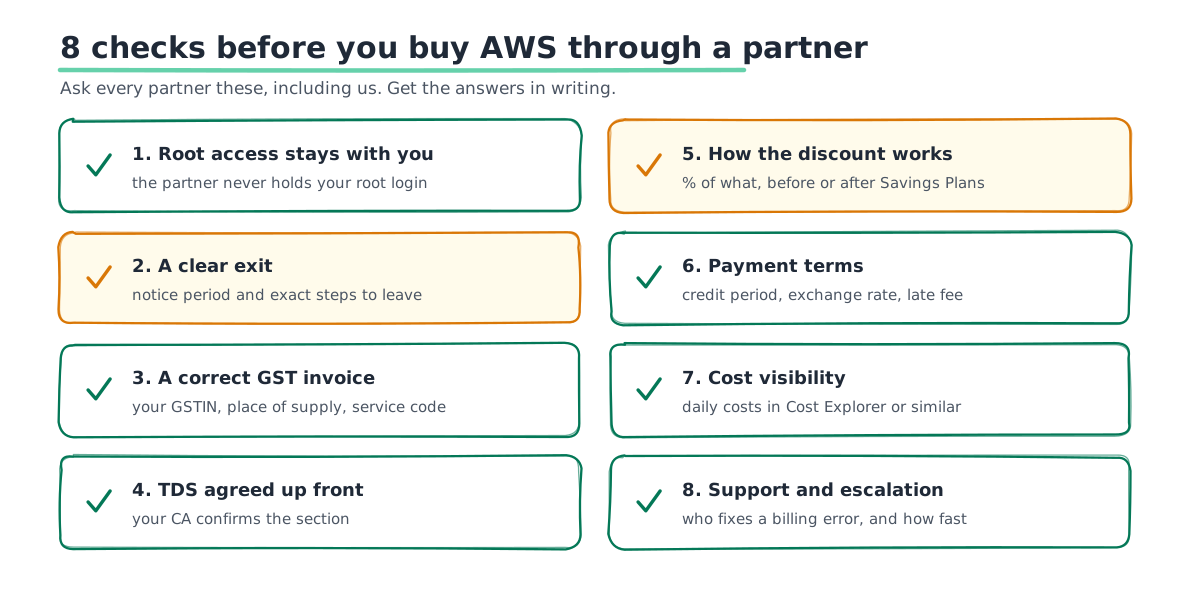
Use these eight checks with any partner, including us.
- Root access stays with you. The partner should never hold your root login.
- A clear exit. Get the notice period and the exact steps to leave in writing.
- A correct GST invoice. Your GSTIN, the right place of supply and the right service code. Your CA should confirm it supports input credit.
- TDS treatment. Ask your CA which TDS section applies to the partner's invoice, and agree it with the partner up front.
- How the discount is worked out. A percentage of what, on which services, and before or after Savings Plans.
- Payment terms. The credit period, the currency rate used for conversion, and any late fee.
- Cost visibility. You should still see daily costs in Cost Explorer or an equal report.
- Support and escalation. Who you call for a billing error, and how AWS Support is handled.
How the Switch Works, Step by Step
Moving your billing to a partner takes a few days of work, spread across two to four weeks. Nothing in your AWS setup goes offline.
- Share your current bill. The partner looks at your last two or three invoices and quotes the discount and terms.
- Sign the agreement. Check it against the list above before you sign.
- Settle what you owe AWS. Pay any open AWS India invoices. Usage up to the switch date is still billed by AWS.
- Accept the invitation. You accept an invite to join the partner's organization, or a Billing Transfer invite. A Billing Transfer starts on the first day of a month.
- Check the first invoice. Compare it with your last AWS bill. The usage should match. Only the rate and the seller should change.
When You Do Not Need a Partner
Partner billing is not right for everyone. You can stay direct with AWS India if any of these fit you.
- Your bill is small. If it stays under ₹15,000 a month, card auto-pay or UPI AutoPay works well.
- You are happy paying by hand. Some finance teams do not mind approving one payment a month.
- Your policy requires a direct contract. Some regulated firms must contract with AWS directly.
If you want to understand your current AWS bill before you decide, our beginner's guide to AWS billing explains each line.
How SquareOps Handles AWS Billing
SquareOps is an AWS Advanced Consulting Partner based in Gurugram. We buy AWS through AWS distributors and bill our clients in rupees with GST. Your accounts sit as linked accounts under our payer account, and the root login always stays with you. Our discount is up to 10%, based on your bill and the services you use. If your average bill is $50,000 a month or more, it can go up to 15%. Either way, it comes on top of your Reserved Instances and Savings Plans.
Billing clients also get SpendZero at no extra cost, so you save on usage as well as on the rate. If you need more than billing, our AWS partner services cover migration, DevOps and 24/7 support.
Get an AWS Billing Quote in Rupees
Send us your last two AWS invoices. We will tell you what partner billing would look like for you: the invoice format, the payment terms and the discount we can offer, plus free SpendZero to cut waste. If staying direct is better for you, we will say so. Talk to our AWS billing team.