By Ankush Madaan, SquareOps · Published May 28, 2026 · Last updated May 28, 2026
In this article
- What does an AWS cloud migration checklist actually deliver?
- When should you start the checklist?
- How long does AWS migration planning take?
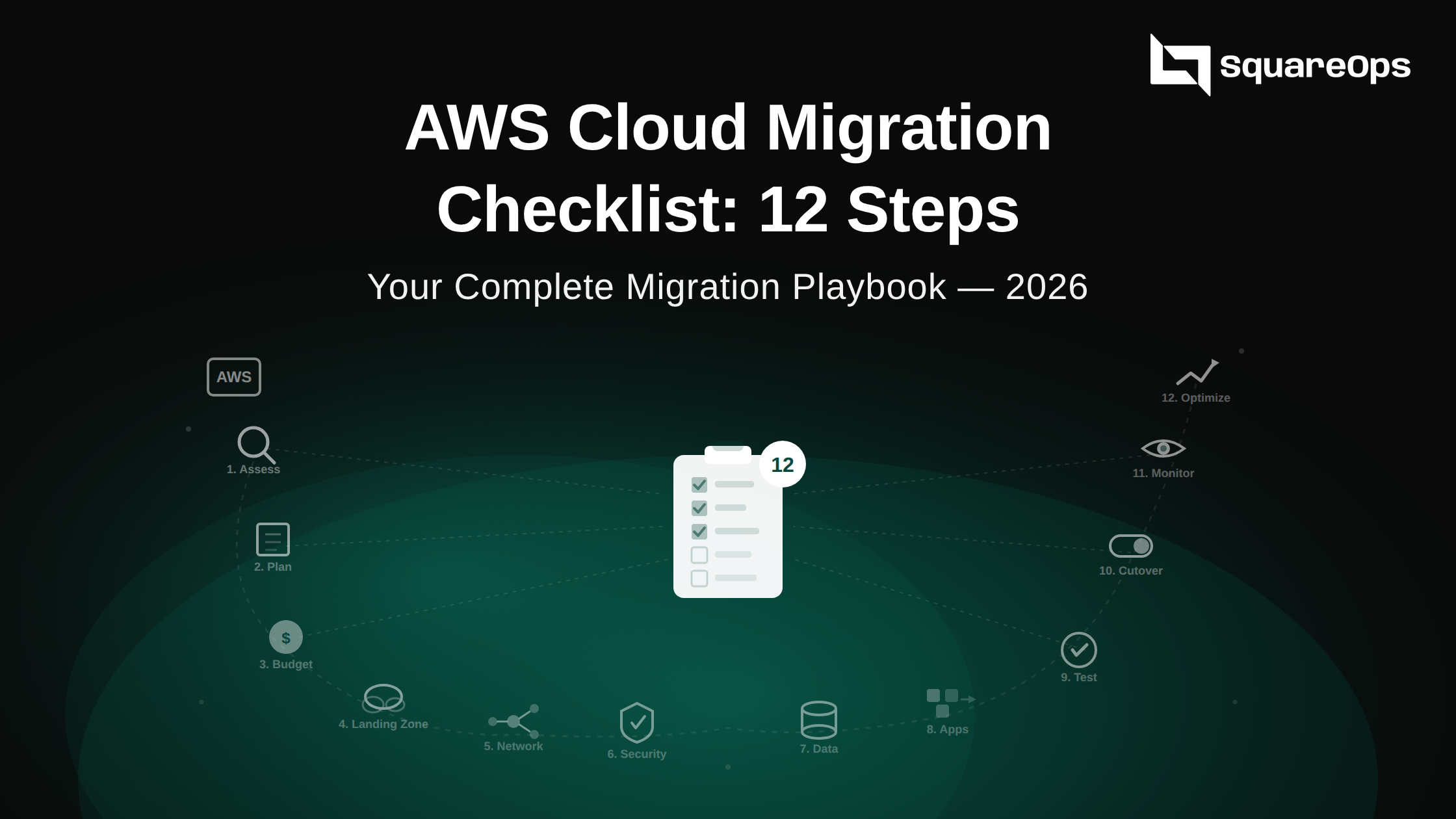
- The 12-step pre-migration checklist
- Migration strategy quick-pick table
- What's the cost of skipping pre-migration prep?
- FAQ
Most failed AWS migrations don't fail at cutover — they fail in the four weeks before, when teams skip discovery, hand-wave dependencies, and pick a strategy by gut. This AWS cloud migration checklist is the sequenced pre-migration runbook we use with clients during a Cloud Migration Consulting Services engagement: twelve steps, each with an owner, an artifact, and an honest timeline. For depth on what breaks without this prep, see our AWS migration challenges & solutions guide.
Free 30-minute migration readiness assessment with SquareOps.
Book your assessment
What does an AWS cloud migration checklist actually deliver?
A useful AWS migration checklist 2026 produces five concrete artifacts before any production workload moves: a signed-off application portfolio with owners and SLAs; a TCO and business case backed by real on-prem utilisation data; a landing-zone design with accounts, OUs, SCPs, and network topology approved by security; a workload-by-workload strategy map (one of the 6 R's per app) with wave assignments; and a pilot and cutover runbook with rollback triggers, RPO/RTO targets, and a comms plan. If your team can't produce those five documents today, you're not ready to migrate — you're ready to start the checklist.
When should you start the checklist?
Start the moment a migration decision is on the table — typically 8–12 weeks before your target wave-1 cutover. Per the Flexera 2026 State of the Cloud Report (15th annual edition, 753 respondents), hybrid is now the dominant architecture at 73% adoption and managing cloud spend is the #1 challenge for 84% of organisations — both decided in the pre-migration phase, not retrofitted later. Teams that compress prep into <2 weeks overrun their migration by 40–60% and hit data-transfer surprise bills.
How long does AWS migration planning take?
Realistic timeline: 4–8 weeks of dedicated pre-migration work for a mid-size enterprise (50–300 apps). A startup (5–20 apps) compresses to 2–3 weeks; a regulated enterprise (1,000+ apps, SOX/HIPAA/PCI) plans for 12–16 weeks. The AWS Cloud Adoption Framework organises this across six perspectives — Business, People, Governance, Platform, Security, Operations — and the checklist below maps cleanly onto them.
The 12-step pre-migration checklist AWS teams actually need
Steps 1–4 are discovery; 5–7 are strategy & design; 8–10 are security & governance; 11–12 are execution prep. Each step lists outcome, owner, and rough effort.
Step 1: Inventory your application portfolio
What: Single source-of-truth listing every app with owner, environment count, SLA, data classification, licensing, and current annual run cost.
Why: You cannot pick a strategy for an app you can't find. Shadow IT and forgotten dev environments routinely double in-scope inventory.
Owner: Platform team lead, with app owners as data providers.
Effort: Week 1, 5–10 business days for a 100-app estate.
Artifact: Application portfolio CSV signed off by app owners and finance.
Step 2: Map application dependencies
What: Visual dependency graph via AWS Application Discovery Service (agentless or agent-based).
Why: ~80% of migration delays come from a missed dependency surfacing at cutover. Waves are only as safe as the dependency map is accurate.
Owner: Platform team, validated by app owners.
Effort: Weeks 1–2, in parallel with Step 1.
Artifact: Dependency graph + wave grouping.
Step 3: Build the business case with Migration Evaluator (TCO)
What: Run AWS Migration Evaluator for an evidence-based 3-year TCO, right-sizing recommendations (typically ~50% reduction on over-provisioned instances), and BYOL-vs-LI comparison for Windows/SQL Server.
Why: Vendor estimates without instrumentation are guesses. Evaluator pulls real CPU/memory/disk so the case survives CFO scrutiny.
Owner: Finance + Platform team jointly; CFO sign-off.
Effort: Weeks 2–3 (collector runs 7–14 days minimum).
Artifact: TCO report + 3-year cash-flow model + AWS MAP funding application (eligible projects get co-funding under AWS Migration Acceleration Program).
Step 4: Run a compliance and data residency review
What: Per app, capture data classification, applicable regulations (GDPR, HIPAA, PCI-DSS, SOC 2, RBI, DPDP), required residency region, and encryption requirements.
Why: Discovering mid-migration that a workload's data can't legally leave Germany or India is the single most expensive mistake on this list. Surface it on day one.
Owner: CISO / Compliance lead + Legal.
Effort: Week 2, parallel with TCO work.
Artifact: Compliance matrix mapping each workload to required AWS region(s) and controls.
Step 5: Pick a migration strategy per workload (the 6 R's)
What: Tag every app with one of Rehost, Replatform, Refactor, Repurchase, Retire, Retain. The deep mechanics of each R are out of scope here — see our AWS migration challenges guide.
Why: Rehosting everything leaves 30–40% of cloud savings on the table; refactoring everything blows your timeline by 12+ months. Hybrid is the right answer for almost every estate.
Owner: Solutions architect + app owners.
Effort: Week 3 — ~1 working day per 10 apps if dependency data is solid.
Artifact: Strategy column added to portfolio CSV with rationale per app.
Step 6: Design the AWS landing zone and account structure
What: Multi-account design via AWS Organizations (prod, non-prod, security, log archive, sandbox, shared services), SCPs, AWS Control Tower or custom IaC.
Why: Retrofitting a single-account migration into a multi-account model is a 6-month rebuild. Doing it right on day zero costs days.
Owner: Cloud architect + security lead.
Effort: Weeks 3–4.
Artifact: Landing-zone architecture diagram + Terraform/CloudFormation modules + SCP policy library.
Step 7: Plan network and connectivity
What: VPC topology, CIDR allocation (no overlaps with on-prem), Transit Gateway, Direct Connect vs Site-to-Site VPN sizing, Route 53 Resolver, and egress controls.
Why: Data-transfer costs and bandwidth bottlenecks silently kill migration budgets. DX provisioning has a 4–8 week lead time — order early.
Owner: Network architect.
Effort: Weeks 3–4.
Artifact: Network topology diagram + bandwidth-sizing model + DX/VPN order placed.
Step 8: Build the IAM and identity blueprint
What: SSO via AWS IAM Identity Center, federated identities from Okta/Entra ID/Google, permission boundaries, just-in-time roles. No long-lived IAM users in production.
Why: Migrations done with root-user keys become the "why was our S3 bucket exposed" post-mortem six months later.
Owner: Security lead + IAM admin. Our cloud security services team runs this for regulated clients.
Effort: Week 4.
Artifact: Identity-and-access design doc + IAM Identity Center configured + break-glass procedure.
Step 9: Define secrets and key management
What: KMS key hierarchy (per-environment CMKs), Secrets Manager vs Parameter Store, rotation policies, CloudHSM if FIPS 140-2 Level 3 is mandated.
Why: Hard-coding secrets into Terraform or a brittle wrapper script is how migrations leak credentials into log files.
Owner: Security lead + Platform team.
Effort: Week 4.
Artifact: KMS key policy library + Secrets Manager naming convention + rotation Lambda templates.
Step 10: Establish logging, monitoring, and cost-baseline plans
What: CloudTrail org-wide trail to log-archive account, CloudWatch + APM (Datadog / New Relic / Grafana), AWS Config rules, and a Day-1 cost dashboard.
Why: If you can't see what's running, you can't right-size, and you can't catch a runaway service before it costs $40k overnight.
Owner: SRE / Platform team. See our site reliability engineering services.
Effort: Weeks 4–5.
Artifact: Observability stack deployed in landing zone + cost-baseline dashboard with budget alerts wired to Slack/email.
Step 11: Pick a pilot workload and define rollback / RPO-RTO
What: Low-risk wave-0 workload (dev/staging or internal tool — never customer-facing). Define RPO and RTO per workload tier and document the exact rollback trigger.
Why: "We'll figure it out if it breaks" is not a rollback plan. Teams without explicit RPO/RTO targets default to 24/7 war rooms.
Owner: App owner + Platform team.
Effort: Week 5.
Artifact: Pilot runbook + RPO/RTO table + rollback playbook validated in a dry-run game-day.
Step 12: Build the cutover communications and post-migration plan
What: Comms calendar (T-7, T-1, T-0, T+1, T+7) covering customers, internal stakeholders, support, on-call rota. Plus a post-migration plan: cost reconciliation at 30/60/90 days, on-prem decommissioning, license reclamation.
Why: Migrations that nail technology but bungle communications get described as "disasters" in board reviews even when uptime stayed at 99.99%.
Owner: Migration program manager + customer-success lead.
Effort: Weeks 5–6.
Artifact: Cutover comms calendar + post-migration optimization plan (pair with SpendZero for automated FinOps scanning post cutover).
Migration strategy quick-pick table
Starter mapping for Step 5 — a rule of thumb, not a substitute for workload-by-workload assessment. For the full DMS-vs-SMS-vs-Application-Migration-Service comparison see our AWS migration tools compared guide.
| Workload type | Recommended R | Typical effort | Primary AWS tool |
|---|---|---|---|
| Legacy commercial app (Oracle EBS, SAP ECC) | Rehost or Retain | Weeks per app | AWS Application Migration Service |
| Stateless web/API tier | Replatform to ECS/EKS or Lambda | Days per app | AWS App2Container, ECS/EKS |
| Monolithic relational DB (SQL Server, Oracle) | Replatform to RDS / Refactor to Aurora | Weeks (DMS + SCT) | AWS DMS + Schema Conversion Tool |
| Modern containerised microservices | Replatform to EKS | Days per service | EKS, ECR, Karpenter |
| Email server, CRM, HRIS | Repurchase (SaaS) | Weeks (data + change mgmt) | AWS Marketplace SaaS |
What's the cost of skipping pre-migration prep?
Concrete numbers: a 200-server migration with no dependency mapping (Step 2) typically triggers 3–5 emergency rollbacks at $25k–$80k each. Skipping Migration Evaluator (Step 3) leaves 30–50% of right-sizing savings unrealised — on a $1M/year AWS bill, that's $300k–$500k recurring. Skipping Step 4 is the only step that can produce a regulator fine; GDPR exposure alone can reach 4% of global revenue. Step 10 (cost baseline) catches the runaway dev cluster before it bills $40k overnight. The cumulative cost of a rushed migration usually exceeds the consulting fee for doing it right by 5–10x. For ongoing FinOps post-cutover, pair the checklist with SpendZero waste detection and our cloud cost management playbook.
Bottom line
An AWS cloud migration checklist is only useful if every step ships a signed-off artifact — a portfolio CSV, a TCO model, a compliance matrix, a landing-zone diagram, a cutover runbook. Tick the 12 boxes above before wave 1, and the migration itself becomes low-drama production days instead of a six-month firefight. To have SquareOps run this end-to-end (including the AWS MAP funding application), book a free 30-minute readiness call or explore our Cloud Migration Services and AWS consulting practice. For multi-cloud variants, our AWS to GCP migration cost & timeline guide shows how the same framework adapts.