Summary: To reduce an AWS bill over $100K a month, work in a fixed order: give the bill one owner, remove waste, right-size compute and move it to Graviton and Spot, cut cross-AZ and NAT Gateway data transfer, and only then buy Savings Plans on the lower bill and negotiate the contract. At this size the order matters more than the list of tactics, because a commitment or a private pricing deal signed too early is sized on waste you were about to remove. A fintech that followed this order cut its AWS bill from about $265K to about $155K a month before it bought any commitments.
Written by Ankush Madaan, SquareOps · Published: November 16, 2026 · Last updated: November 16, 2026
If your AWS bill is too high, or growing faster than revenue, most advice you will find is a list of 20 or more tactics. A list works when one engineer can work through it. Above $100K a month it stops working: most of the money sits in a few line items, several teams touch each of them, and the two discounts that come with a contract (commitments and private pricing) lock in whatever your usage looks like on the day you sign.
This guide covers what changes at that size: who owns the bill, the order of work, the commitment portfolio, the contract layer, data transfer, Kubernetes compute and the monthly review that keeps the bill down. It does not repeat the full list of individual levers; our AWS cost optimization guide covers those. You are in good company: in the FinOps Foundation's State of FinOps 2026 survey of 1,192 practitioners, representing more than $83 billion in annual cloud spend, workload optimization and waste reduction remained the single top current priority.
In this guide:
- What is a $100K-a-month AWS bill usually made of?
- Step 1: Give the AWS bill one owner and a weekly number
- Step 2: Remove waste before you commit to anything
- Step 3: Right-size compute, then move it to Graviton and Spot
- Step 4: How do you cut cross-AZ data transfer and NAT Gateway charges?
- Step 5: Buy Savings Plans on the lower bill, not the current one
- Step 6: What can you negotiate with AWS on private pricing, support and Marketplace?
- How did a fintech cut its AWS bill from $265K to $155K a month?
- How do you keep AWS costs from growing back?
- Should you reduce your AWS bill in-house, with a tool or with a partner?
Find out where your AWS bill goes before you change anything
SpendZero's first scan is free and read-only. It runs 37+ automated waste checks across 25+ AWS services and puts a monthly dollar figure on every finding.
Run a free SpendZero scanWhat is a $100K-a-month AWS bill usually made of?
A bill this size has thousands of line items, but you only need to act on the largest few first. Week one is about naming the top five line items and giving each one an owner. There are two ways to find them.
In Cost Explorer: group the last three full months by Service, then by Usage type. Watch the "EC2-Other" group: it hides EBS volumes and snapshots, NAT Gateway hours and bytes, and data transfer, which are often large enough to be their own line items.
In the Cost and Usage Report: create a CUR 2.0 export in AWS Data Exports with the Amazon Athena integration, which delivers Parquet files and a setup script. If you run EKS or ECS, tick "Split cost allocation data" so container costs appear per pod or task. Then rank the month by service and usage type:
-- Top 20 cost drivers for one month (replace cur2 with your Athena table name)
SELECT line_item_product_code               AS service,
       line_item_usage_type                 AS usage_type,
       ROUND(SUM(line_item_unblended_cost), 2) AS cost_usd
FROM   cur2
WHERE  billing_period = '2026-10'
  AND  line_item_line_item_type <> 'Tax'
GROUP  BY 1, 2
ORDER  BY cost_usd DESC
LIMIT  20;
Usage types ending in NatGateway-Bytes are NAT Gateway data processing, and DataTransfer-Regional-Bytes is regional data transfer, which includes traffic between Availability Zones. If these terms are new, our guide to AWS billing basics explains how the bill is put together.
| Line item | Where it shows up | What drives it | Step |
|---|---|---|---|
| EC2 and EKS compute | Amazon EC2, AWS Fargate | Instance size and family, pod requests, On-Demand vs Spot | 3 and 5 |
| Databases | RDS, Aurora, ElastiCache, OpenSearch | Instance class, idle non-production copies, storage | 2, 3 and 5 |
| Data transfer and NAT Gateway | EC2-Other usage types | Cross-AZ traffic, NAT routing, internet egress | 4 |
| Storage and logs | S3, EBS, snapshots, CloudWatch Logs | gp2 volumes, old snapshots, no lifecycle or retention rules | 2 |
| Support and Marketplace | AWS Support, AWS Marketplace | A percentage of the bill; third-party subscriptions | 6 |
Step 1: Give the AWS bill one owner and a weekly number
Large bills grow because nobody owns them. Engineering owns the resources, finance owns the invoice, and the gap between them is where the waste sits. Before you change anything, name one person accountable for the total (usually an engineering leader, with a finance partner) and one owner for each of the top five line items.
- Make cost attributable. Separate accounts per environment or team in AWS Organizations, activated cost allocation tags, and Cost Categories that map accounts and tags to teams or products. Without this, every saving is an argument about whose it was.
- Track one weekly number, not a dashboard. The total bill plus one unit cost: cost per customer, per transaction or per 1,000 requests. If your AWS bill is growing faster than revenue, the unit cost tells you whether that is growth or waste. Our post on FinOps KPIs for engineering leaders covers how to choose it.
- Turn on anomaly alerts. AWS Cost Anomaly Detection offers AWS managed monitors that track every service, linked account or tag value automatically, and AWS says alerts can start within 24 hours of creating a monitor. Route them to the line-item owner, not a shared inbox.
Step 2: Remove waste before you commit to anything
Everything you delete now is something you never have to cover with a commitment. Waste removal needs no architecture change, so it is the fastest part of the work. The usual targets:
- Idle and orphaned resources: unattached EBS volumes, old snapshots, idle load balancers, stopped-but-kept instances and forgotten test environments.
- gp2 to gp3: AWS documents gp3 volumes at a 20 percent lower price per GiB than gp2, and the change is an Elastic Volumes modification that does not interrupt the instance.
- Log retention: by default, CloudWatch Logs keeps log data indefinitely. Set retention per log group, or use an account-level retention policy.
- Non-production schedules: stop development and staging environments outside working hours.
- S3 lifecycle rules: move or expire objects nobody reads.
The guide linked in the introduction has the full checklist. To get a priced list for your own accounts, you can scan your AWS account for waste with SpendZero, the cost tool built by SquareOps.
Can you reduce AWS costs without rebuilding?
Mostly, yes. Ownership, waste removal, most data transfer fixes, commitments and contract terms need no change to your application. Right-sizing needs testing but not new code. The one step that touches how software is built is Graviton: applications keep their code, but builds, container images and native dependencies must produce Arm versions. Spot needs workloads that tolerate interruption, which is a design property you may already have.
Step 3: Right-size compute, then move it to Graviton and Spot
Compute is where engineering changes save the most, and where they need the most care. Work in this order, because each change makes the next one cheaper to measure:
- Right-size from utilization data. Use at least two weeks of CPU and memory data per workload (AWS Compute Optimizer for EC2), and resize to match real peaks, not launch-day guesses.
- Change the instance family to Graviton. AWS says Graviton-based instances cost up to 20% less than comparable x86-based EC2 instances. The work is in the build pipeline: multi-architecture images, Arm CI runners, and a load test per service before it takes production traffic. Our Graviton4 benchmarks on EKS show what to test.
- Move interruptible workloads to Spot. AWS advertises savings of up to 90% on On-Demand prices for Spot capacity, which AWS can reclaim with a two-minute notice. Stateless services, workers and CI jobs fit; a mix of Spot and On-Demand nodes keeps one interruption from taking a whole service down.
On Kubernetes, resource requests decide the bill
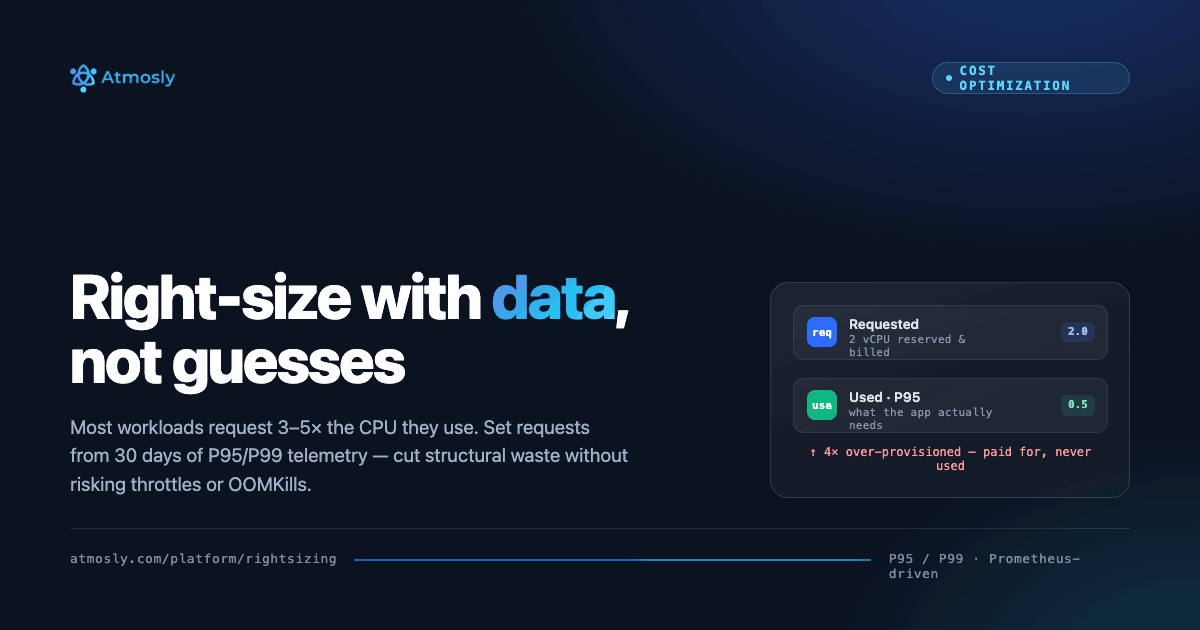
Kubernetes schedules pods by their CPU and memory requests, so you pay for what pods request, not what they use. Requests set high "to be safe" are paid for every hour. Setting them from measured usage comes before any node change; Kubernetes workload right-sizing in SpendZero shows requested against used capacity per workload.
On Amazon EKS with Fargate, this is explicit. Fargate sizes each pod from its requests, adds 256 MB for Kubernetes components and rounds up to the nearest supported configuration: a pod requesting 1 vCPU and 8 GB is provisioned, and billed, as 2 vCPU and 9 GB. AWS's Fargate pricing page also states that Arm CPUs are only available for Amazon ECS, and lists Fargate Spot for ECS only. On EKS, Graviton and Spot therefore mean EC2 worker nodes.
On EC2 nodes, Karpenter picks instance types to fit pending pods and consolidates the cluster: it deletes empty nodes, removes nodes whose pods fit elsewhere, and replaces underused nodes with a cheaper one. When AWS sends a Spot interruption notice, Karpenter drains the node while it provisions a replacement in parallel. Our Karpenter setup for EKS page covers how we configure it, and how EKS pricing works explains the control plane and node charges. If you want a team to run this end to end, see our Kubernetes cost optimization services.
Step 4: How do you cut cross-AZ data transfer and NAT Gateway charges?
Data transfer is the line item that grows quietly with traffic, and it is a recurring cause of AWS bills scaling faster than revenue. Two charges do most of the damage:
- Cross-AZ traffic: AWS charges $0.01 per GB in each direction between Availability Zones, so a single exchange costs $0.02 per GB. In Kubernetes, the default Service routing sends traffic to any pod in any zone.
- NAT Gateway processing: AWS's VPC pricing example for US East (Ohio) shows $0.045 per NAT Gateway hour plus $0.045 per GB processed, with standard data transfer charges on top.
As an illustration at those rates, 100 TB a month through a NAT Gateway is about $4,500 in processing alone, and 100 TB of pod traffic crossing zones is about $2,000. Neither shows up as a service you chose to buy, which is why they go unreviewed. The fixes, roughly in order of effort:
- Gateway VPC endpoints for S3 and DynamoDB. AWS charges no hourly or data processing fee for gateway endpoints, so this traffic stops going through NAT.
- Interface endpoints for other AWS services you call heavily, such as ECR. They have their own hourly and processing charges, so compare them with the NAT cost they replace.
- One NAT Gateway per Availability Zone, so private subnets do not cross zones to reach it. The EKS Best Practices Guide recommends this, at the cost of the extra gateway hours.
- Same-zone routing for Kubernetes Services. Traffic Distribution became generally available in Kubernetes 1.33; in 1.35 the value
PreferClosewas renamedPreferSameZoneand the old name kept as an alias. - Load balancers in IP target mode, so traffic goes straight to the pod instead of through a NodePort on a node that may sit in another zone.
apiVersion: v1
kind: Service
metadata:
  name: orders
spec:
  selector:
    app: orders
  trafficDistribution: PreferClose   # PreferSameZone on Kubernetes 1.35+
  ports:
    - port: 8080
      targetPort: 8080
Keep services spread across zones while you do this; same-zone routing should cut the bill, not your availability. Our guide on how to cut cross-AZ data transfer in Kubernetes goes deeper on measuring pod-to-pod flows.
Want engineers to make these changes with you?
Book a free cloud cost assessment. We will go through your top line items with you and show which of these steps apply.
Book a free assessmentStep 5: Buy Savings Plans on the lower bill, not the current one
Commitments give large discounts on steady usage, and they are the easiest step to get wrong. AWS lists four Savings Plans types:
- Compute Savings Plans: up to 66% off On-Demand, applied to EC2 in any family, size or Region, and to Fargate and Lambda.
- EC2 Instance Savings Plans: up to 72% off, for one instance family in one Region.
- Database Savings Plans: up to 35% off across Aurora, RDS, DynamoDB, ElastiCache, OpenSearch and other database services.
- SageMaker AI Savings Plans: up to 64% off SageMaker AI instance usage.
Compute and EC2 Instance Savings Plans run for one or three years, and AWS states that the terms of any Savings Plan cannot be changed after purchase. That is the whole argument for doing this step last. A plan bought before Steps 2 to 4 is sized on instances you were about to delete, shrink, move to Graviton or move to Spot.
- Wait for usage to settle after the engineering changes, then commit to the floor of your steady hourly usage, not the average.
- Buy in tranches over several months so that expiry dates are spread out and each renewal is a small decision.
- Review coverage and utilization monthly, and check expiries in the next 90 days.
Our comparison of Savings Plans vs Reserved Instances covers which fits each workload pattern and how to set a coverage target.
Step 6: What can you negotiate with AWS on private pricing, support and Marketplace?
At $100K+ a month, part of the bill is a contract, not usage. This is the one step finance can lead, and it also belongs at the end.
Private pricing. An AWS private pricing agreement (PPA), often still called the Enterprise Discount Program (EDP) and referred to in AWS's own Marketplace documentation as "AWS committed spend (EDP/PPA)", trades a commitment to a level of total AWS spend for a negotiated discount. AWS does not publish eligibility thresholds or discount rates, so treat any figure you see quoted as one customer's negotiated deal. Sign it after Steps 2 to 5: a spend commitment set on today's run rate either commits you to spend you were about to remove or leaves you short of the commitment once the bill falls.
The support plan. AWS Support is priced as a percentage of your monthly AWS charges, so it falls when the bill falls. On AWS's support pricing page, Enterprise Support is the greater of $5,000 a month or a tiered percentage starting at 10% of charges up to $150K. Business Support+ is the greater of $29 a month per account or a tier from 9% (up to $10K) down to 3% (over $250K). At those published rates, $100K a month of AWS charges means about $10,000 a month for Enterprise Support and about $6,800 for Business Support+. Plans are changing too: AWS's end-of-support notice says Developer, Business and Enterprise On-Ramp support end on January 1, 2027, with Enterprise On-Ramp customers moved to Enterprise Support, whose minimum AWS lowered to $5,000 from $15,000. Choose the plan for what you use (a designated TAM, 15-minute response on production-critical cases), not by default.
Marketplace spend. Third-party software bought through AWS Marketplace can count toward a private pricing commitment. AWS's Marketplace buyer FAQ says committed spend applies where products are eligible for drawdown, that products deployed on AWS typically qualify, and that eligibility is decided per product. If you already pay for observability or security tools directly, check whether buying them through Marketplace would draw down a commitment you have to meet anyway.
How did a fintech cut its AWS bill from $265K to $155K a month?
A fintech on AWS cut its bill from about $265K to about $155K a month: about 41%, or about $1.3M a year. SquareOps engineers did the work in about two to three months, and all of it happened before any commitments were bought.
- Requests first. Its EKS pods ran on Fargate, which bills on requests. The resource requests were set from real usage before anything moved.
- Fargate to Graviton EC2 nodes managed by Karpenter. Because Fargate on EKS offers neither Arm nor Spot, moving to EC2 nodes is what made both possible.
- Spot for stateless workloads. Most stateless workloads moved to Spot, or to a mix of Spot and On-Demand nodes.
- Arm builds. Dockerfiles and CI/CD pipelines were rewritten so every service builds for Arm.
- Every change as reviewed code. All infrastructure changes went through Terraform as pull requests the client reviewed, so the client's team owns the result.
None of that AWS cloud cost reduction came from a discount, and any Savings Plans the client buys now are sized on about $155K a month, not $265K. The full fintech case study has the details.
How do you keep AWS costs from growing back?
A first round of AWS cost reduction lasts only as long as someone looks at the bill every month. A 30-minute review with the line-item owners is enough:
- Total bill and unit cost against last month and budget.
- Movement in the top five line items, each explained by its owner.
- Anomalies from Cost Anomaly Detection: closed, explained or assigned.
- Commitment coverage, utilization and expiries in the next 90 days.
- New waste findings, each with an owner and a date.
- Decisions made, written down so the next review starts from them.
Between reviews, guardrails do the work: AWS Budgets alerts per team, required tags enforced in Terraform modules, and a cost check on infrastructure pull requests. Our overview of cloud cost monitoring tools and practices covers the tooling side, and our cloud cost management practice runs this review for teams that want it done for them.
Should you reduce your AWS bill in-house, with a tool or with a partner?
All three work. The difference is who makes the changes, because a report that ranks the waste does not remove it.
| Option | Who finds the savings | Who makes the changes | What it costs you | Fits when |
|---|---|---|---|---|
| In-house | Your engineers, with AWS native tools (Cost Explorer, CUR, Compute Optimizer) | Your engineers | Team time taken from product work | You have a platform team with spare capacity |
| A FinOps tool | The tool, across accounts and services | Your engineers | A subscription plus team time | You need visibility and ranking, and your team can make the changes |
| A partner | Partner engineers, usually with a tool | Partner engineers, with your approval | A fee: fixed, retainer or tied to savings | The work spans months, such as a Graviton or Spot migration, and your team has no capacity |
If you are choosing a tool, our roundups of AWS cost tools and best practices and FinOps tools compared cover the options. If you want engineers to do the work, our AWS cost optimization services cover every step in this guide, and if you would rather work with a cloud cost optimization company, that page explains how it works.
Start with what your AWS bill is made of
Run a free SpendZero scan to price the waste in your accounts, or book a free cloud cost assessment with our engineers.
Start a free scan Book a free assessment