Over the past decade, the Software-as-a-Service (SaaS) model has become the default way businesses deliver and consume software. From collaboration tools like Slack and Notion to infrastructure services like GitHub and AWS, SaaS platforms power the modern economy. They offer scalability, accessibility, and subscription-based pricing that customers love. But this convenience also makes SaaS applications prime targets for cybercriminals.
SaaS companies face unique challenges: they run on complex cloud-native infrastructure, serve multiple tenants on shared environments, and often process sensitive data ranging from personal information to financial records. A single misconfiguration, leaked API key, or unpatched library can trigger a devastating breach.
That's why the DevSecOps movement has become critical for SaaS. DevSecOps integrates development, security, and operations into one continuous process. It ensures that security isn't an afterthought but a built-in, automated part of the software development lifecycle (SDLC). For SaaS companies moving fast and deploying frequently, DevSecOps is no longer optional; it's essential.
But practices alone aren't enough. To implement DevSecOps effectively, teams need the right tools. These tools scan code, protect containers, manage secrets, enforce compliance, monitor threats, and respond to incidents in real time. In this guide, we'll take a deep dive into the top DevSecOps tools for SaaS in 2026, why they matter, and how to choose the right ones for your environment.
1. Why SaaS Companies Need DevSecOps Tools
SaaS companies operate in one of the most dynamic and high-stakes environments in technology. Unlike traditional on-premise software, which customers install and maintain, SaaS providers are responsible for the entire stack: code, infrastructure, uptime, and security.
1.1 Expanding Attack Surfaces
Most SaaS platforms rely on microservices, APIs, and cloud-native infrastructure. Every exposed API, container image, or CI/CD pipeline becomes a potential attack vector. For example, in 2023, several SaaS providers faced breaches due to misconfigured cloud storage buckets that exposed customer data.
1.2 Multi-Tenancy Risks
A defining feature of SaaS is multi-tenancy: multiple customers share the same infrastructure. If tenant isolation fails, one customer could gain access to another's data. Over-broad cloud permissions make any such failure worse: in the 2019 Capital One breach, a server-side request forgery flaw let an attacker use an over-privileged IAM role to read data from S3, which is why least-privilege access matters as much as isolation.
1.3 Compliance Pressures
SaaS companies often operate across geographies and industries, meaning they must comply with multiple regulations simultaneously:
- GDPR for European customers.
- HIPAA for healthcare data in the U.S.
- PCI-DSS for handling payments.
- SOC 2 to prove secure operations.
Failing to comply can result in fines, lawsuits, and loss of trust. DevSecOps tools automate compliance checks, reducing manual effort.
1.4 Balancing Speed and Security
Customers expect SaaS providers to ship features quickly. Weekly or even daily releases are common. Manual security reviews can't keep up. Automated DevSecOps tools ensure that every commit, build, and deployment is checked for vulnerabilities without slowing down delivery.
In short, SaaS companies need DevSecOps tools because the stakes are higher: downtime, breaches, and compliance failures directly impact revenue and reputation.
2. Key Categories of DevSecOps Tools
To secure a SaaS product, you need a layered approach. No single tool can do everything. Here are the key categories of DevSecOps tools every SaaS company should consider.
2.1 Code & Application Security
These tools analyze source code and application behavior. They catch vulnerabilities early, before insecure code reaches production. This includes static analysis (SAST), dynamic testing (DAST), and dependency scanning (SCA).
2.2 Container & Kubernetes Security
Most SaaS platforms are built with containers and orchestrated by Kubernetes. Tools in this category scan images, enforce policies, detect runtime anomalies, and ensure cluster compliance.
2.3 Secrets & Identity Management
Secrets like API keys, tokens, and credentials are often mishandled, leading to leaks. Secrets management tools securely store, rotate, and audit these sensitive values.
2.4 Infrastructure & Policy-as-Code
Infrastructure-as-Code (IaC) is standard in SaaS. Policy-as-code tools enforce compliance and prevent misconfigurations in Terraform, Kubernetes, and cloud setups.
2.5 Monitoring, Logging & Incident Response
Even the most secure systems experience incidents. Monitoring and logging tools provide visibility, detect threats in real time, and enable quick response.
2.6 Compliance & Governance
Compliance tools automate evidence collection, enforce controls, and generate audit-ready reports for standards like SOC 2 and HIPAA.
2.7 All-in-One Platforms
Integrated platforms reduce toolchain sprawl by combining DevOps, security, compliance, and automation into one environment.
3. Top DevSecOps Tools for SaaS in 2026
Now let's look at the leading tools SaaS companies are using today, grouped by category.
3.1 Code & Application Security
Snyk
Snyk has quickly become a go-to tool for SaaS companies because it integrates directly into developer workflows. Modern SaaS platforms rely on open-source libraries, which are often the weakest security link. Snyk scans these dependencies for known vulnerabilities and provides actionable fixes.
For example, if your SaaS product uses an outdated Node.js package with a critical vulnerability, Snyk will flag it in your GitHub pull request and suggest a safe version upgrade. The tool also covers container scanning and Infrastructure-as-Code (IaC), making it a versatile choice.
- Pros: Developer-friendly, strong CI/CD integrations, proactive remediation.
- Cons: Pricing can escalate as repositories grow.
SonarQube
SonarQube focuses on static application security testing (SAST) and code quality. It analyzes source code for bugs, vulnerabilities, and code smells. For SaaS companies scaling fast, technical debt and insecure coding patterns can creep in. SonarQube enforces clean, secure coding practices.
- Pros: Community edition is free, customizable rules.
- Cons: Limited focus on modern cloud-native compliance.
OWASP ZAP
The OWASP Zed Attack Proxy (ZAP) is a popular open-source DAST tool. It simulates real-world attacks against running applications to uncover runtime vulnerabilities like SQL injection or cross-site scripting (XSS). For SaaS, ZAP is useful for testing web interfaces and APIs exposed to customers.
- Pros: Free, strong community support.
- Cons: Requires expertise to configure for enterprise use.
3.2 Container & Kubernetes Security
Aqua Security
Aqua provides end-to-end security for containers and Kubernetes. It scans container images for vulnerabilities before deployment, enforces runtime policies, and ensures compliance across clusters. For SaaS companies, Aqua's ability to secure multi-tenant Kubernetes environments is particularly valuable.
- Pros: Comprehensive features, strong compliance coverage.
- Cons: Learning curve and higher cost for small teams.
Falco
Falco, a CNCF project, is an open-source tool for runtime security. It monitors system calls in real time and alerts when abnormal behavior occurs. For example, if a container suddenly spawns a shell (a sign of an attack), Falco raises an alert. This is crucial for SaaS platforms where attackers may exploit containers post-deployment.
- Pros: Lightweight, strong community.
- Cons: Needs fine-tuning to reduce false positives.
Prisma Cloud (Twistlock)
Prisma Cloud, formerly Twistlock, is Palo Alto Networks' enterprise cloud security platform. It provides vulnerability management, runtime defense, and compliance enforcement. For SaaS providers operating at scale, Prisma Cloud offers enterprise-grade coverage across containers, VMs, and serverless workloads.
- Pros: Strong enterprise features, broad coverage.
- Cons: High cost.
3.3 Secrets & Identity Management
HashiCorp Vault
Vault is the industry standard for secrets management. It securely stores and rotates API keys, tokens, and credentials. For multi-tenant SaaS systems, Vault ensures that secrets are never hardcoded or exposed. It supports dynamic secrets generating temporary credentials that expire automatically.
- Pros: Highly secure, flexible.
- Cons: Complex setup for small teams.
Cloud-Native Secret Managers
AWS Secrets Manager, Azure Key Vault, and GCP Secret Manager provide secrets storage as managed services. They integrate seamlessly with other cloud-native tools, making them a good fit for SaaS teams already locked into a cloud provider.
- Pros: Easy integration, managed service.
- Cons: Vendor lock-in.
3.4 Infrastructure & Policy-as-Code
Open Policy Agent (OPA)
OPA is an open-source, general-purpose policy engine. It allows you to enforce policies across Kubernetes clusters, APIs, and CI/CD pipelines. For example, you can write a policy that blocks deployments if containers run as root. SaaS providers use OPA to ensure compliance and governance without manual oversight.
- Pros: Extremely flexible, CNCF-backed.
- Cons: Requires expertise to write and manage policies.
Terraform Sentinel
Sentinel is HashiCorp's policy-as-code framework for Terraform. It ensures that infrastructure defined as code follows compliance rules. For SaaS companies deploying infrastructure at scale, Sentinel prevents insecure Terraform configurations from reaching production.
- Pros: Deep Terraform integration.
- Cons: Limited to Terraform users.
3.5 Monitoring, Logging & Incident Response
Prometheus + Grafana
Prometheus and Grafana form the backbone of monitoring for many SaaS companies. Prometheus collects metrics (CPU, memory, requests per second), while Grafana visualizes them. Together, they provide visibility into SaaS workloads and help ensure SLAs.
- Pros: Open-source, customizable.
- Cons: Requires significant setup and tuning.
ELK Stack (Elasticsearch, Logstash, Kibana)
The ELK stack centralizes logs from across your SaaS application. With multi-tenant SaaS, logs from different customers and services can become overwhelming. ELK makes it possible to search, analyze, and visualize logs for debugging and incident response.
- Pros: Powerful log analysis.
- Cons: Resource-heavy at scale.
Splunk
Splunk is an enterprise-grade SIEM (Security Information and Event Management) tool. It ingests massive amounts of data, applies machine learning for anomaly detection, and helps SaaS providers respond to incidents quickly.
- Pros: Strong analytics, enterprise support.
- Cons: High licensing costs.
3.6 Compliance & Governance
Datadog Security Monitoring
Datadog, known for observability, also offers security monitoring. It provides compliance dashboards, anomaly detection, and security insights integrated with your existing Datadog metrics. For SaaS companies already using Datadog, this reduces tool sprawl.
- Pros: Unified observability + security.
- Cons: Expensive at scale.
Sysdig Secure
Sysdig focuses on Kubernetes runtime security and compliance. It provides out-of-the-box policies for standards like PCI-DSS and SOC 2. SaaS companies can use Sysdig to ensure compliance without building custom frameworks.
- Pros: SaaS-focused compliance.
- Cons: More niche than general-purpose tools.
SquareOps Verity
Verity is SquareOps' cloud security and compliance platform, currently in early access. It scans AWS accounts and Amazon EKS clusters with read-only access, using the CIS AWS Foundations and CIS Amazon EKS benchmarks as its rule baseline. It gives one security posture score, joins findings into evidence-backed attack paths, ranks fixes by real risk, and only closes a finding when the next scan verifies it. Rules map to SOC 2 and ISO 27001 (HIPAA and PCI DSS at general availability) controls, and passing results are kept as dated audit evidence.
- Pros: Risk-ranked findings and continuous compliance evidence across cloud accounts and clusters.
- Cons: Early access, AWS and EKS only for now; does not scan container images, detect runtime behaviour or enforce admission policy.
3.7 All-in-One Platforms for SaaS DevSecOps
GitHub Advanced Security
Built into GitHub, this tool scans code, detects secrets, and flags vulnerable dependencies with Dependabot. For SaaS companies heavily invested in GitHub, it's a natural fit.
GitLab Security
GitLab integrates SAST, DAST, and dependency scanning directly into CI/CD pipelines. It provides a unified experience where developers don't have to leave their workflow to address security.
4. Benefits of Using DevSecOps Tools in SaaS
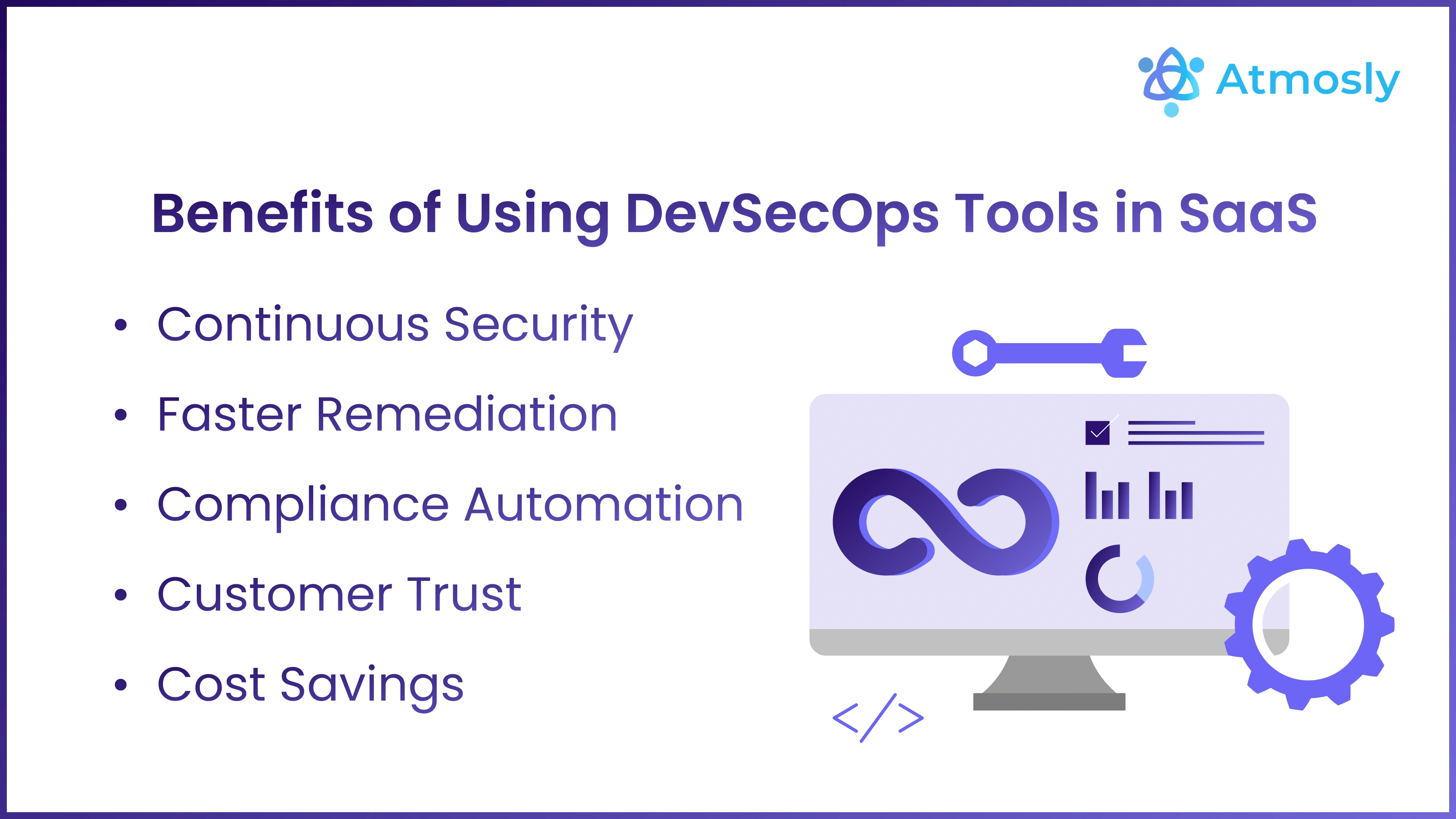
Adopting DevSecOps tools brings multiple benefits:
- Continuous Security: Vulnerabilities are caught at every stage, from code commit to runtime.
- Faster Remediation: Issues are fixed before they reach production.
- Compliance Automation: Evidence collection and reporting become easier.
- Customer Trust: Security becomes a selling point, improving retention.
- Cost Savings: Preventing breaches saves money on fines, remediation, and brand damage.
5. Challenges of Managing DevSecOps Toolchains
While DevSecOps tools are essential, they bring challenges:
- Toolchain Sprawl: SaaS companies may end up managing 10–15 separate tools.
- Integration Overhead: Tools don't always integrate smoothly.
- Developer Resistance: Developers may view security as slowing them down.
- High Costs: Enterprise licenses for multiple tools add up quickly.
- SaaS-Specific Risks: Multi-tenancy and API-heavy architectures need extra focus.
The solution? Consolidate where you can: prefer tools that integrate with each other and with your CI/CD, and choose one place to see and prioritise findings instead of a dashboard per tool.
6. Best Practices for SaaS DevSecOps
To succeed with DevSecOps in SaaS:
- Start Small: Add one security gate at a time to avoid overwhelming teams.
- Automate Security Gates: Use automated scans in CI/CD pipelines.
- Use Policy-as-Code: Codify compliance so it scales with infrastructure.
- Focus on Developer Experience: Security should be seamless, not a bottleneck.
- Adopt GitOps: Declarative workflows ensure consistency and traceability.
- Train Developers: Invest in secure coding training to reduce vulnerabilities at the source.
7. Future of DevSecOps Tools in SaaS
Looking ahead, DevSecOps for SaaS will evolve with:
- AI-Driven Security: Predictive threat detection and automated remediation.
- Self-Healing Systems: Applications that automatically patch themselves.
- Compliance-as-Code: Seamless audits via automated evidence collection.
- Integrated Platforms: SaaS companies will prefer fewer, unified platforms over dozens of tools.
8. Conclusion
SaaS companies face some of the toughest security challenges in tech: multi-tenancy, continuous uptime, compliance pressures, and constant feature delivery. DevSecOps is the answer embedding security into every stage of the lifecycle without slowing innovation.
The top DevSecOps tools for SaaS in 2026 cover code security, container protection, secrets management, policy enforcement, monitoring, and compliance. But managing too many tools can create new challenges. That's why many organizations are moving toward integrated solutions.
Start with the categories that match your biggest risks, keep the toolchain small, and make sure every finding has an owner and a way to prove it is fixed.
In 2026 and beyond, the SaaS companies that win will be those that make security a shared, continuous, and automated practice. If your SaaS runs on AWS and EKS and you want posture, risk ranking and compliance evidence in one view, request early access to SquareOps Verity.